
General Assist Technical Reference
Multi-Split Wiring Correction Check
How to identify and correct crossed indoor-unit communication wiring
Applicable outdoor units: AOTG36LBLA5 and AOTG45LBLA6
The wiring correction check confirms the number of connected indoor units and checks whether each indoor unit is connected to the matching outdoor-unit terminal. Where supported, crossed connections can be corrected manually or stored automatically by the outdoor control board.
Electrical safety: Isolate the power supply before touching or exchanging any wiring. After switching the power off, wait at least 10 minutes before working on the unit or restoring power.
1. Before you start
| Check | Requirement |
|---|---|
| Outdoor unit | AOTG36LBLA5 or AOTG45LBLA6 |
| Indoor units | All indoor units installed, powered and connected to terminals A-F as applicable |
| System condition | Installation complete and no active fault preventing operation |
| Access | Outdoor control board and CHECK switch SW2 accessible |
Outdoor control board
2. Start the wiring correction check
- Turn the outdoor-unit power supply on.
- Press and hold the CHECK (SW2) switch for at least 3 seconds.
- The monitor LEDs display the number of indoor units detected through the communication wiring.
- Confirm the displayed number matches the number of indoor units installed.
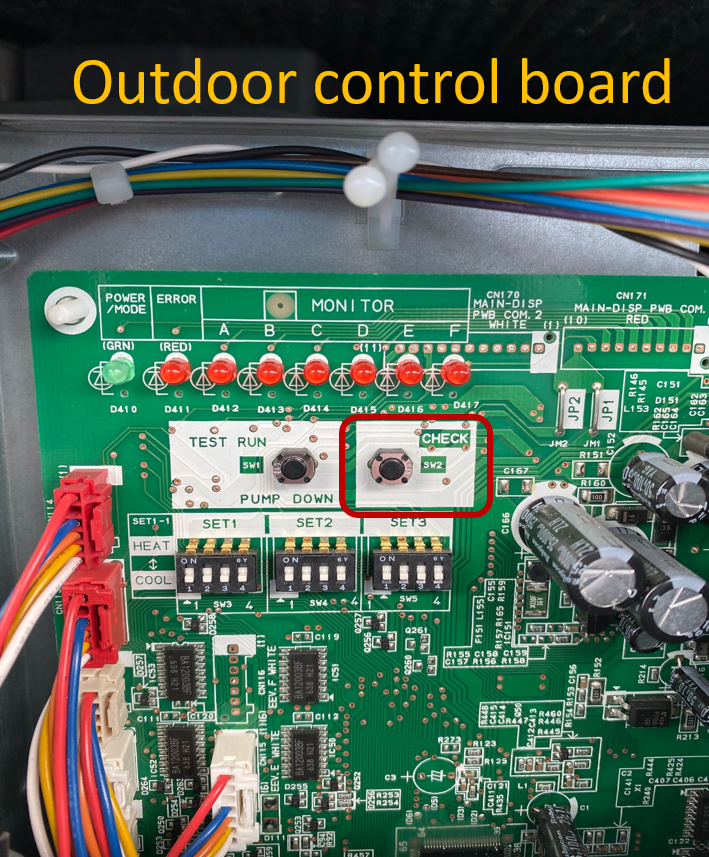
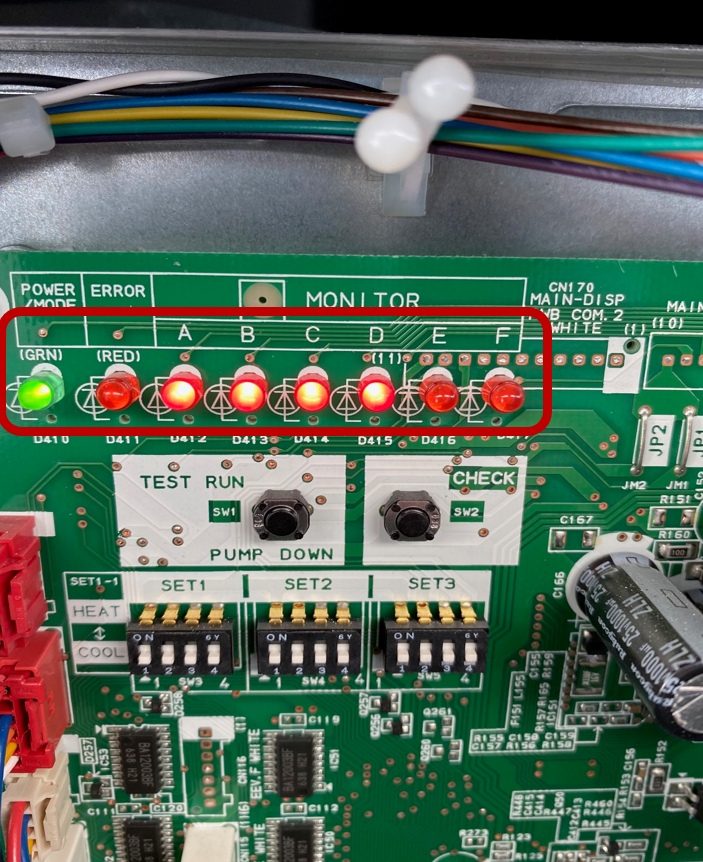
CHECK switch SW2 and monitor LEDs
Detected unit count does not match: Switch the power off and check the indoor-to-outdoor communication wiring. Do not continue until the number displayed matches the number of installed indoor units.
3. Run the connection check
- After confirming the connected-unit count, press and hold CHECK (SW2) again for at least 3 seconds.
- All monitor LEDs from A to F flash as the check run begins.
- The outdoor unit starts in cooling and supplies refrigerant to each indoor unit separately.
- The LED for each indoor unit switches off as that unit's check is completed.
- When the check run is finished, the result sequence is displayed.
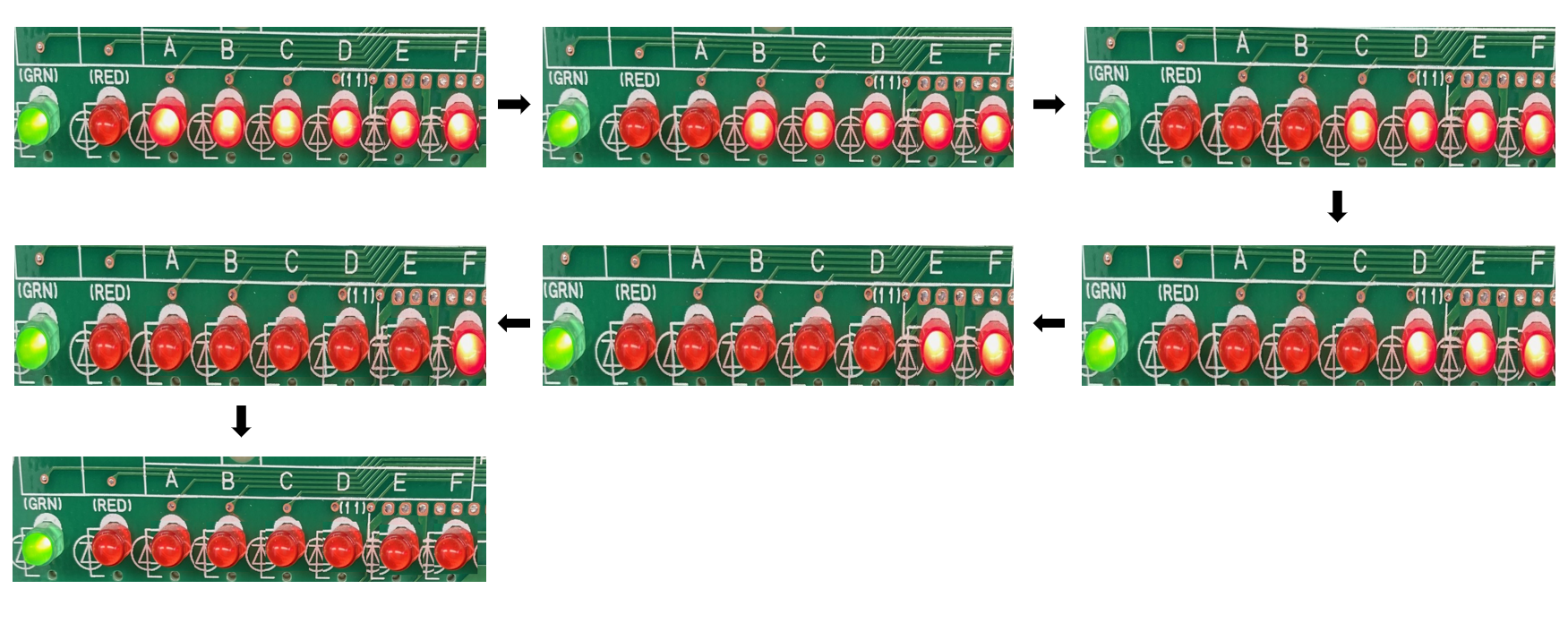
To interrupt the check run: Press the CHECK switch once. If an error occurs, the check run is suspended. Correct the fault and restart the procedure.
4. Interpret the results
Correct connection
The LEDs illuminate in terminal order. For four connected indoor units, the expected sequence is:
A → B → C → D
Incorrect connection
A crossed connection is shown by an out-of-order sequence. For example:
A → C → B → D
This result indicates the communication wiring for terminals B and C is crossed.
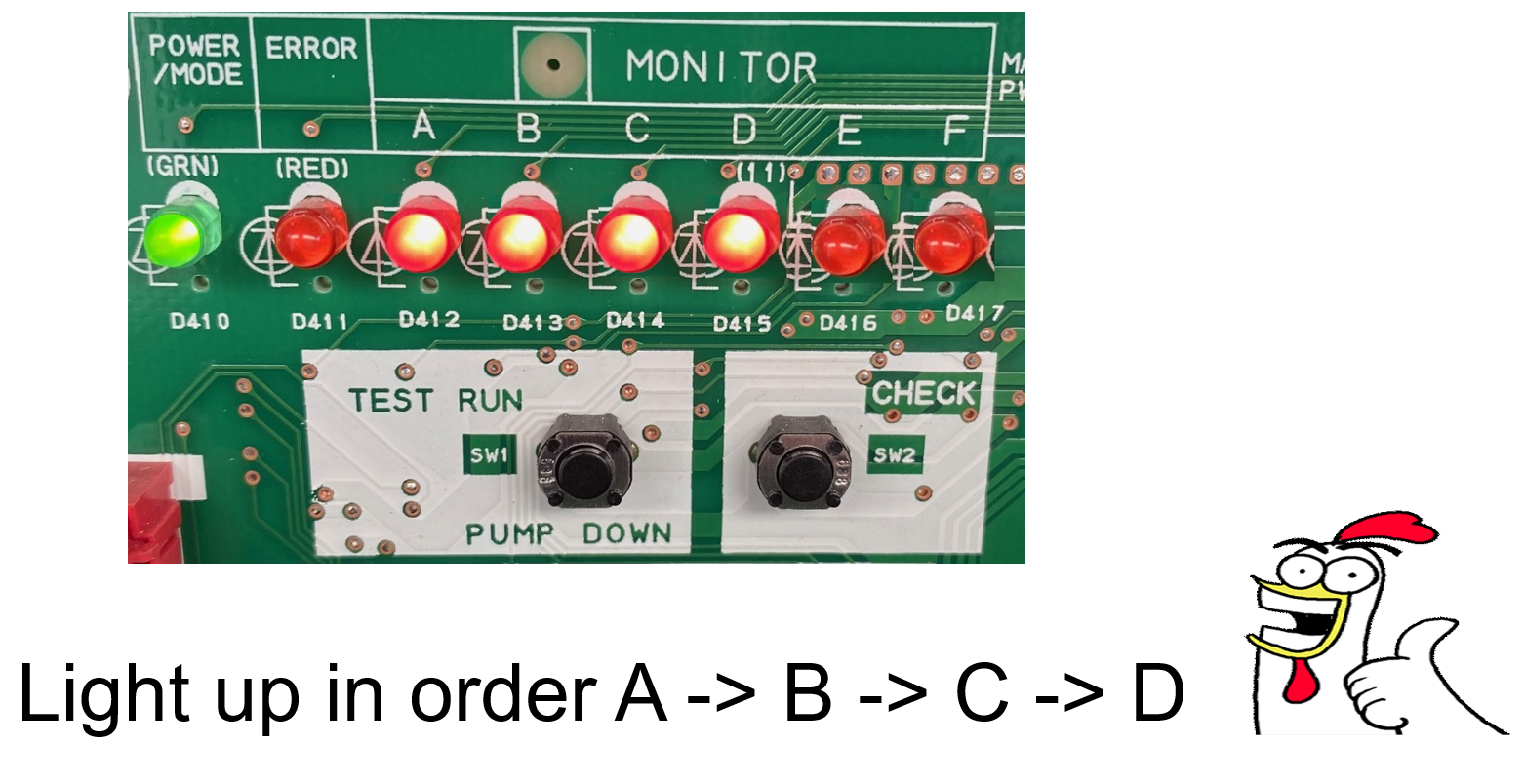
5. Correct an incorrect result
Option A - Correct the wiring manually
- Record the displayed result.
- Switch off and isolate the power supply.
- Wait at least 10 minutes.
- Exchange the crossed communication wires at the applicable outdoor terminals. In the example above, exchange the wiring connected to terminals B and C.
- Restore power and repeat the wiring correction check.
Option B - Apply automatic wiring correction
- Leave the result displayed.
- Press and hold CHECK (SW2) for at least 3 seconds.
- The LEDs A to F illuminate in sequence.
- All LEDs then illuminate together, confirming the automatic wiring correction has been stored.
- Switch off and isolate the power supply, wait at least 10 minutes, then restore power.
- Complete a normal test run and confirm all indoor units operate correctly.
Service record: Write the final result on the label located on the reverse side of the service panel. This information is required for future servicing.
6. Re-display results or reset correction memory
| Function | Procedure |
|---|---|
| Re-display the last check result | Press the CHECK switch once. |
| Reset automatic correction memory | Display the stored result, then press and hold CHECK for at least 3 seconds. LEDs A-F illuminate in sequence, followed by all LEDs together to confirm reset completion. |
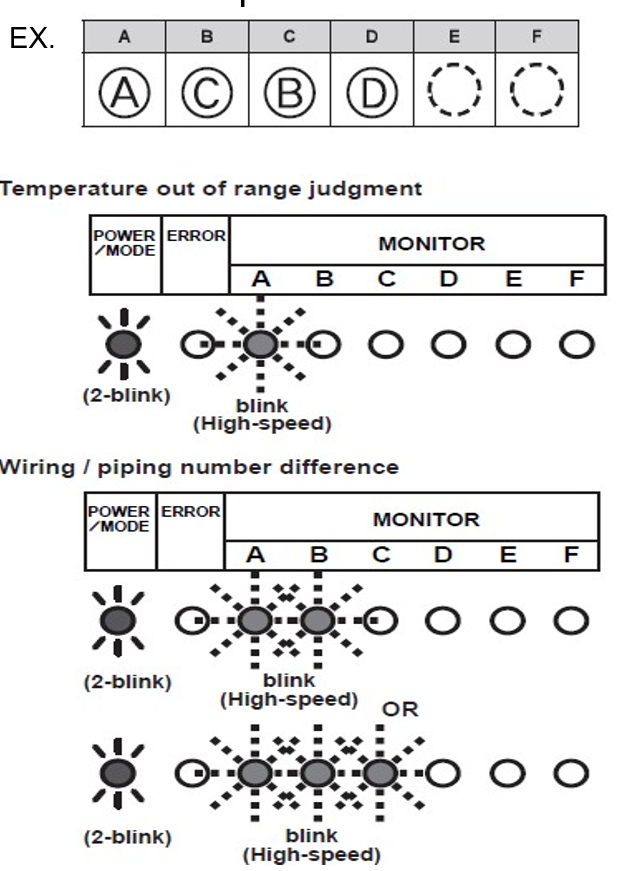
7. Check-run judgement failure
If the check-run judgement cannot be completed, compare the LED pattern with the service information for the unit, correct the underlying condition and repeat the check run.
8. Quick reference
| Action | CHECK switch operation |
|---|---|
| Display connected indoor-unit count | Hold for 3 seconds or more |
| Start check run | Hold again for 3 seconds or more |
| Interrupt check run | Press once |
| Re-display stored result | Press once |
| Apply automatic correction | During result display, hold for 3 seconds or more |
| Reset automatic correction memory | Re-display result, then hold for 3 seconds or more |