General Assist Technical Reference
Fan Speed Controller
Installation, wiring and Danfoss condenser fan control setup
For systems using a fan speed controller with a Danfoss 0-10 V condenser regulation signal
The Fan Speed Controller (FSC) modulates condenser fan operation in response to condenser pressure or a 0-10 V control signal. This provides variable fan speed for stable head pressure control, particularly during low ambient cooling operation.
Qualified personnel only: This procedure involves live electrical equipment and internal wiring. Isolate the unit before making or altering any connections and verify isolation before commencing work.
1. Components involved
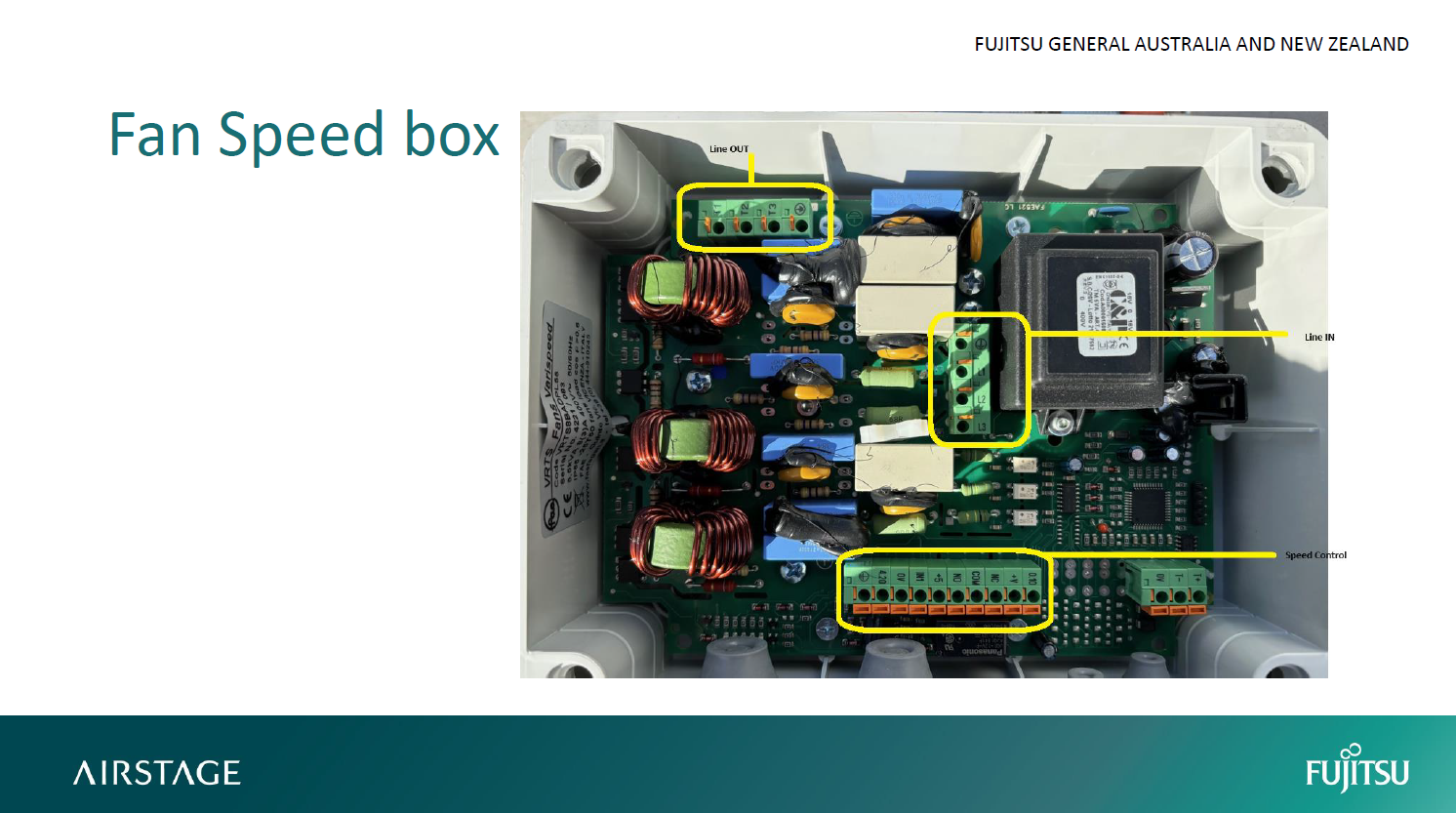
- Fan Speed Controller Box - Lufrec / Danfoss interface.
- Overload protection and contactor assembly.
- Danfoss control module.
- 0-10 V control signal wiring.
- Earthing bar.
2. Mounting location
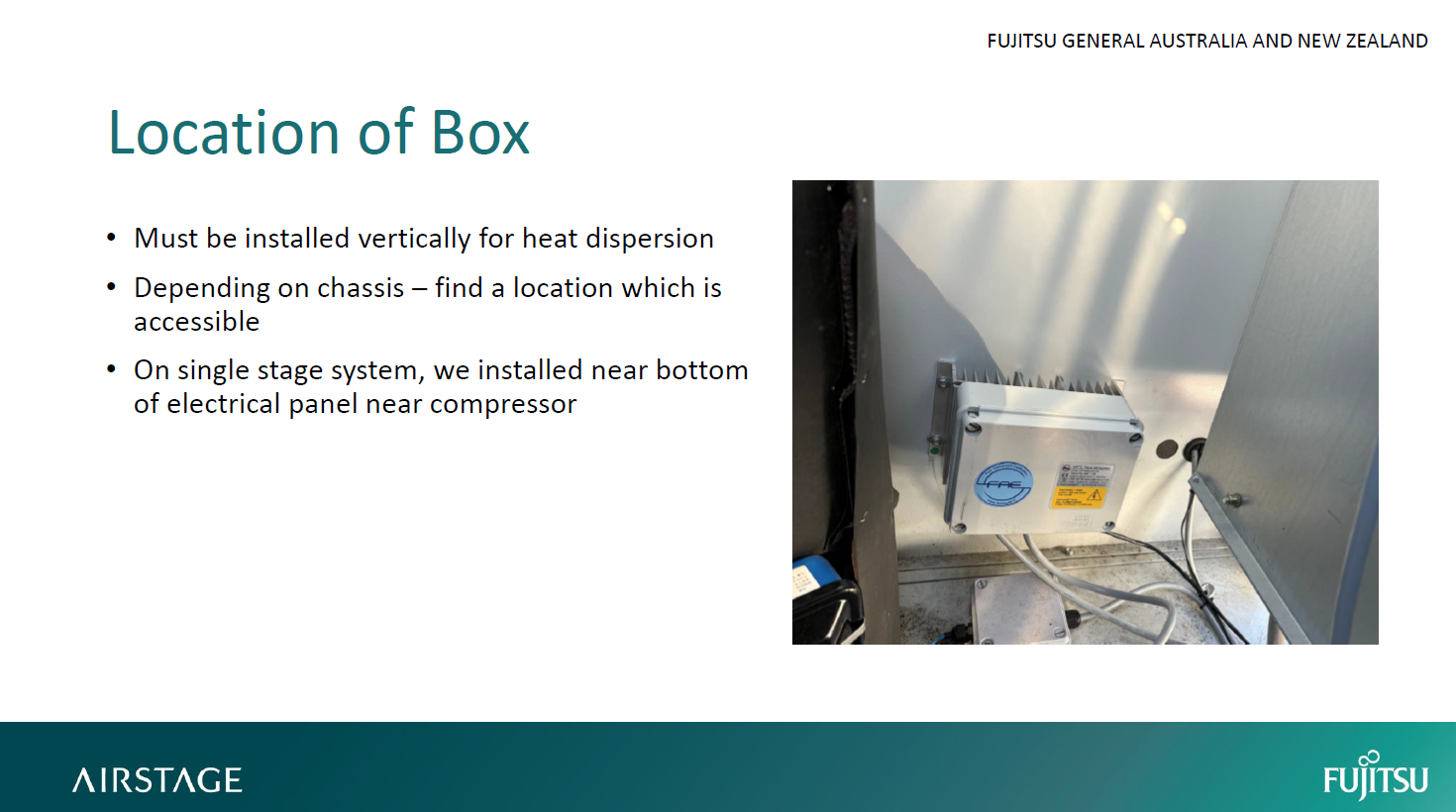
- Mount the Fan Speed Controller vertically to allow adequate heat dissipation.
- Choose a location within the electrical panel or compressor compartment that remains accessible for service.
- On single-stage systems, the recommended position is at the bottom of the electrical panel near the compressor.
3. Electrical wiring
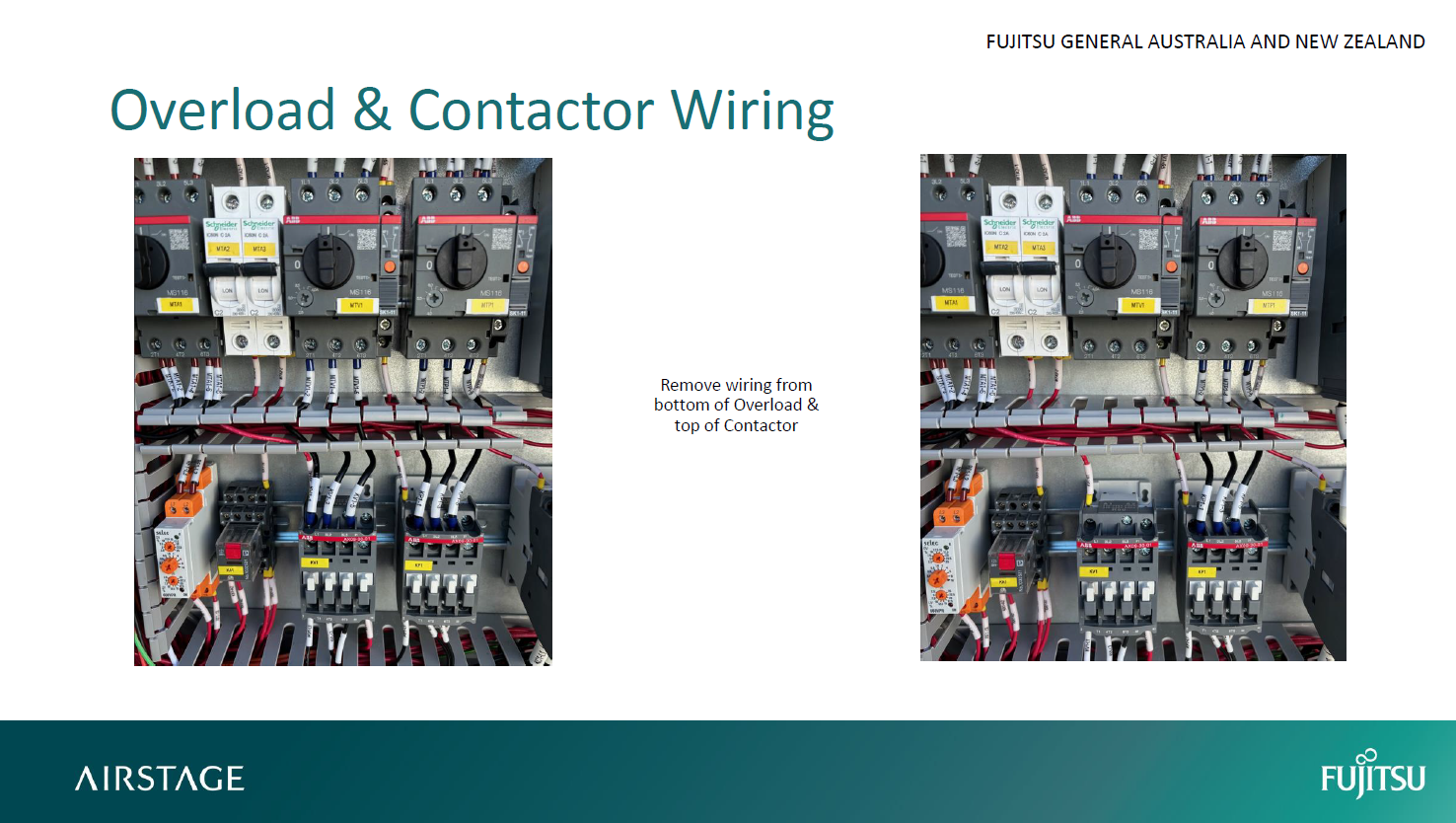
3.1 Overload and contactor preparation
- Isolate power to the unit.
- Remove the existing wiring between the bottom of the overload and the top of the contactor.
- These terminals become the connection points for the Fan Speed Controller wiring.
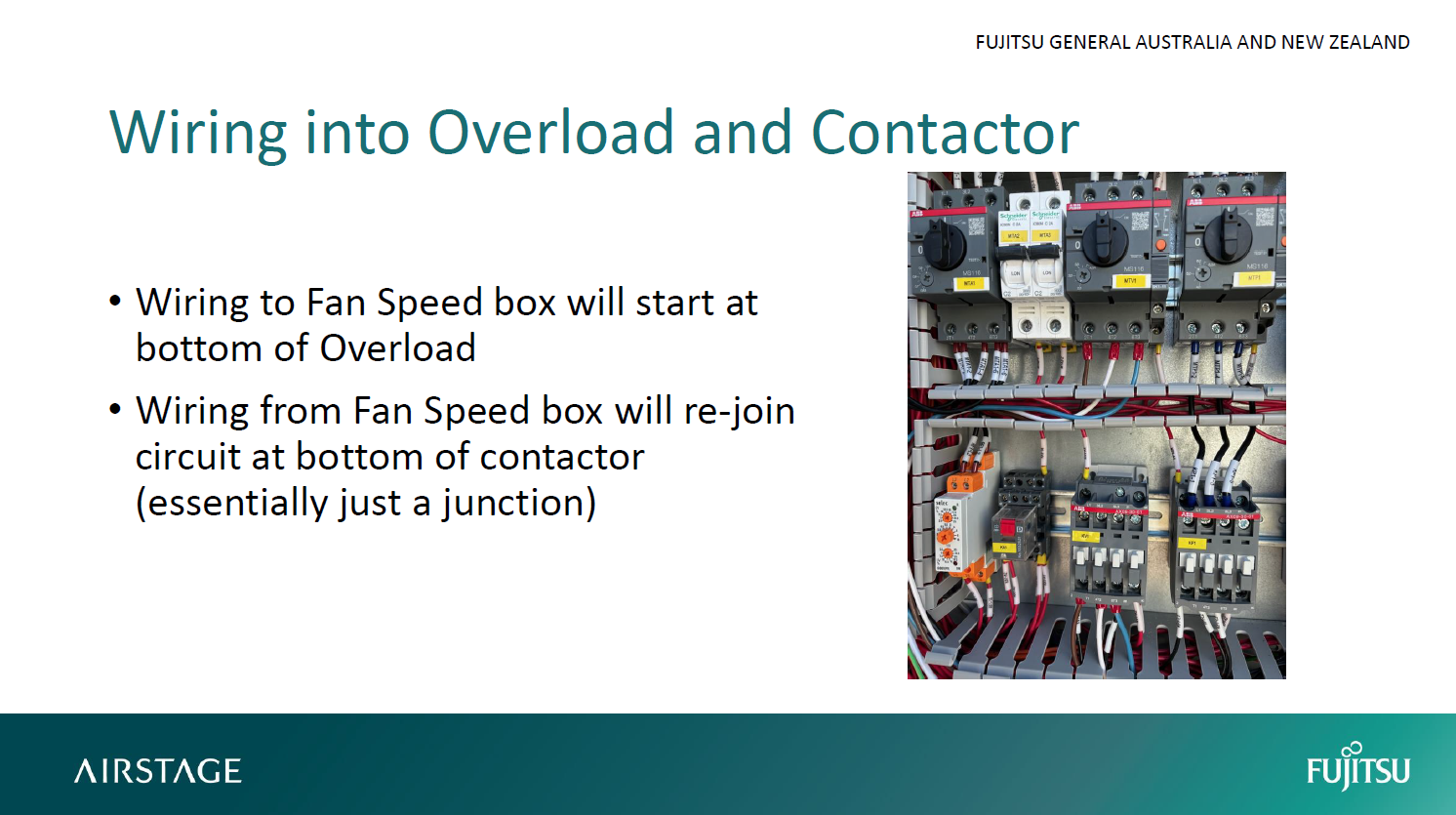
3.2 Wiring to the Fan Speed Controller
| Circuit | Connection | Function |
|---|---|---|
| Line in | Bottom of overload to FSC L1, L2, L3 | Supply to Fan Speed Controller |
| Line out | FSC T1, T2, T3 to bottom of contactor | Controlled output to condenser fans |
| Earth | Terminate earth conductors to the unit earth bar | Protective grounding |
3.3 Speed control wiring
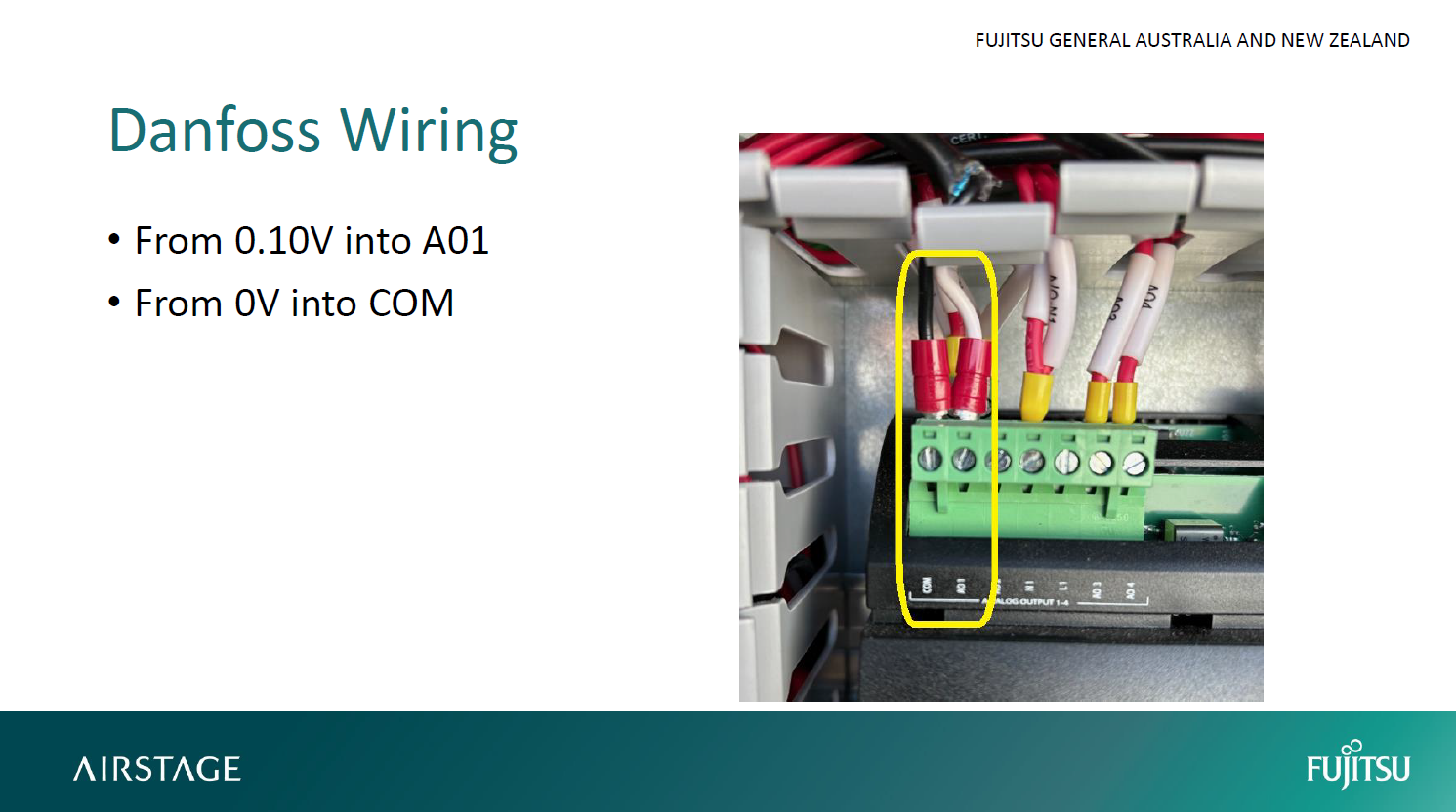
Two low-voltage control wires run between the Fan Speed Controller and Danfoss module.
| Danfoss | Fan Speed Controller | Signal |
|---|---|---|
| A01 | 0.10V | 0-10 V speed command |
| COM | 0V | Control common |
This allows the Danfoss controller to regulate condenser fan speed based on condensing pressure.
Polarity: Confirm A01 is connected to the FSC 0.10V terminal and COM is connected to 0V. Incorrect polarity may prevent correct speed control.
4. Danfoss parameter setup
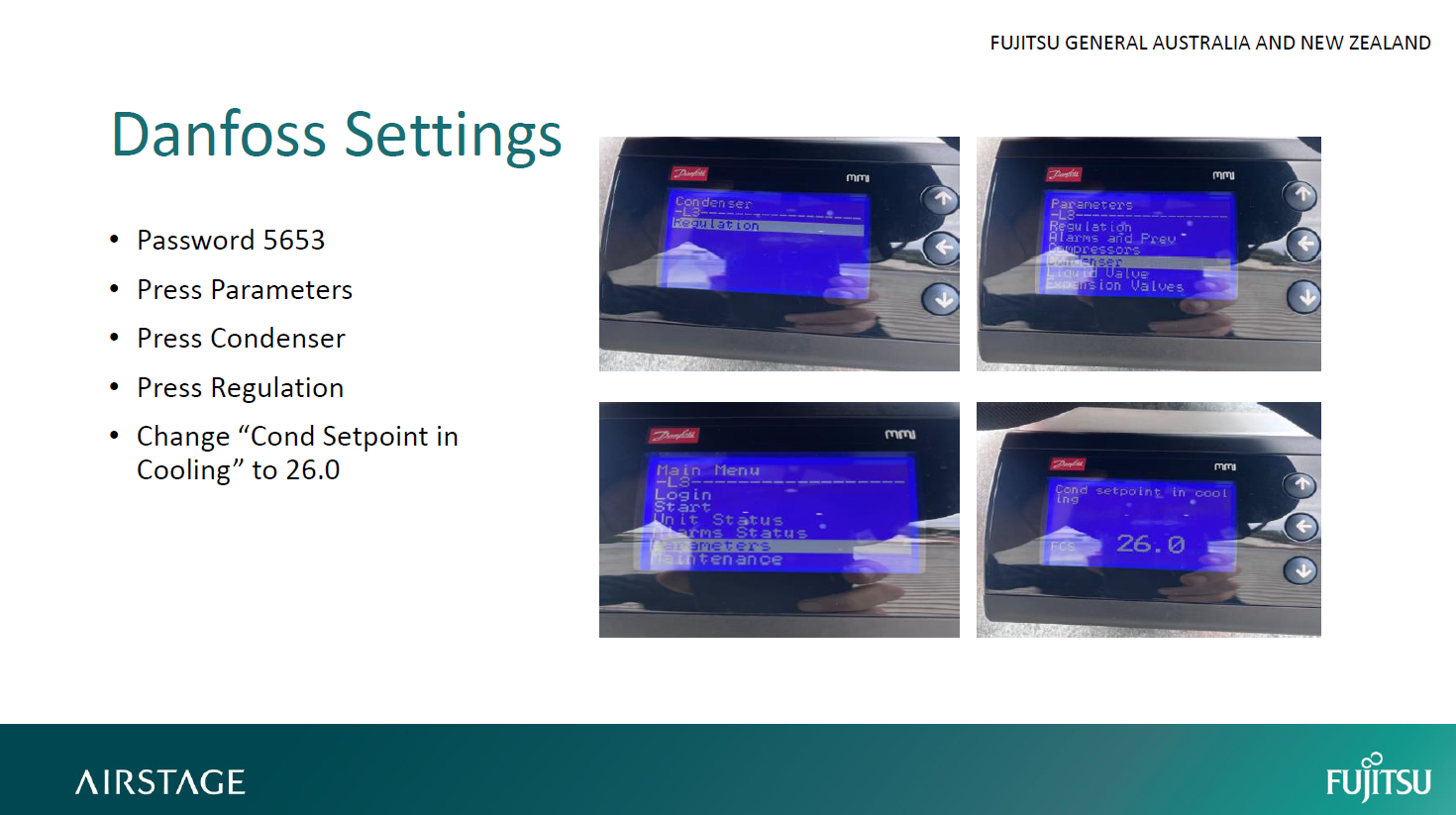
- Enter service password: 5653.
- Navigate to Parameters > Condenser > Regulation.
- Set Cond Setpoint in Cooling to 26.0 °C.
- Confirm and save the setting.
This setting provides the control target used by the condenser fan modulation strategy during cooling operation.
5. Post-installation verification
- Reapply power and confirm the Fan Speed Controller energises correctly.
- Verify correct condenser fan rotation direction.
- Observe fan speed modulation during operation. Fans should slow at low condensing pressure and increase as pressure rises.
- Check that the controller housing remains cool and unobstructed.
- Confirm there are no fault LEDs on the FSC or Danfoss module.
6. Safety and installation notes
- Always isolate power before handling internal wiring.
- Ensure all terminals are tightened to the manufacturer's specified torque.
- Use only components suitable for the system and refrigerant application.
- Maintain enclosure integrity and reseal cable entries with suitable cable glands after wiring.
7. Connection summary
| Connection point | Terminal | Description |
|---|---|---|
| From overload | L1, L2, L3 | Line input to Fan Speed Controller |
| To contactor | T1, T2, T3 | Controlled line output from Fan Speed Controller |
| Earth | Earth bar | Protective ground |
| Control signal | 0.10V ← A01 / 0V ← COM | Danfoss fan speed command |
8. Functional outcome
Once correctly installed and configured:
- The Fan Speed Controller varies condenser fan speed in proportion to the Danfoss 0-10 V command.
- The control strategy maintains more stable condensing conditions as ambient temperature changes.
- At lower condensing pressure the fan speed reduces; as condensing pressure rises, fan speed increases.
9. Installation reference images
Use the following images as a visual reference for controller location, wiring changes and Danfoss settings.