
anywAiR App Guide
View Weekly and Monthly Usage Statistics
Review usage trends, trigger events and local comparisons
The Statistics screen provides a summary of your weekly and monthly air conditioner usage. You can review weekly trigger events, compare monthly usage with the previous year and view how your usage compares with the local average.
1. Open the Statistics screen
- Open the anywAiR app.
- Swipe up to open the settings drawer.
- Select Statistics.
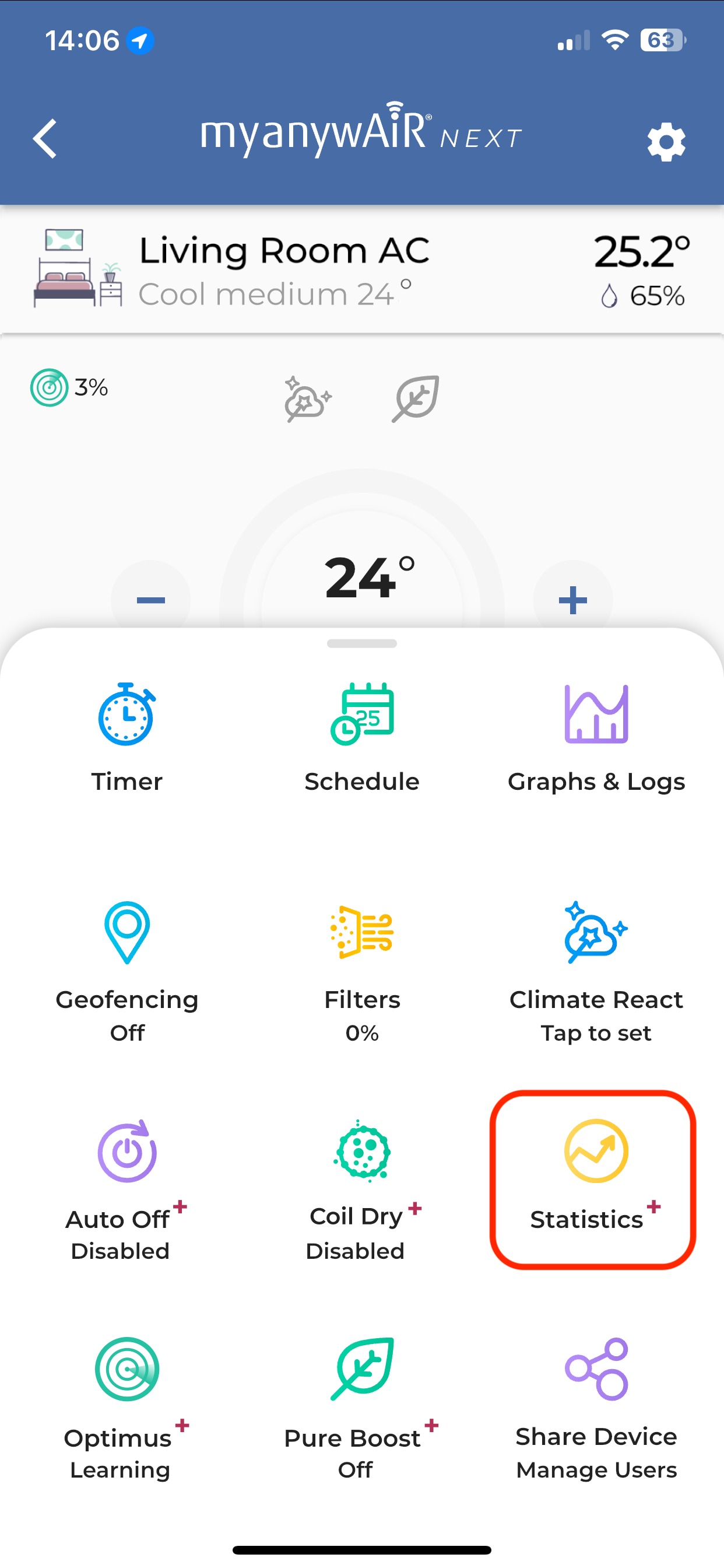
Swipe up and select Statistics from the settings drawer.
2. Review your usage
The Statistics screen allows you to view:
- Weekly usage, including weekly trigger events.
- Monthly usage compared with the previous year.
- Local average usage for comparison.
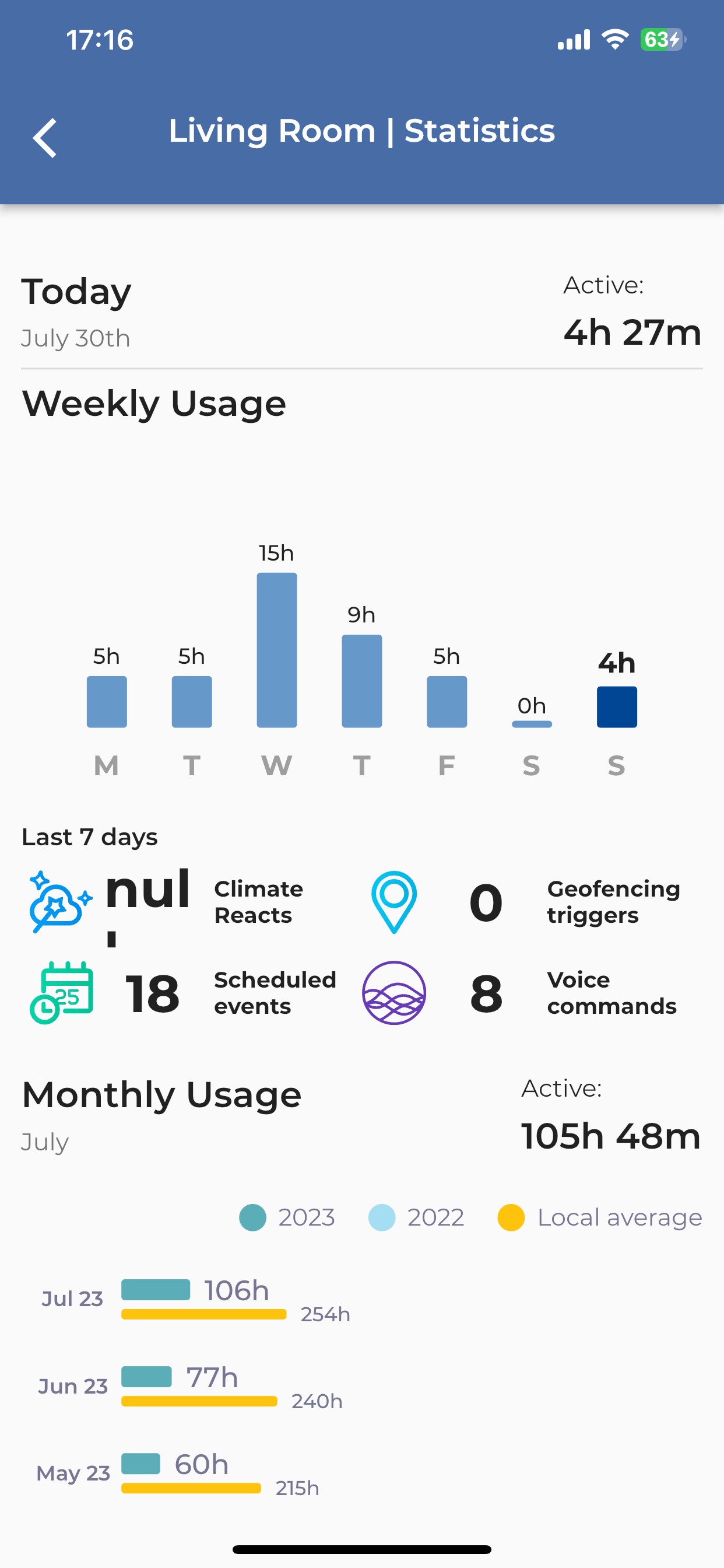
Review weekly and monthly usage information from the Statistics screen.
Note: The information displayed may vary depending on the available usage history and app configuration.