
anywAiR App Guide
Set an Auto Off Timer
Automatically turn your air conditioner off after a selected period
The Auto Off feature acts as a recurring failsafe timer. Each time the air conditioner is turned on, it will automatically switch off after the period you select.
How to configure Auto Off
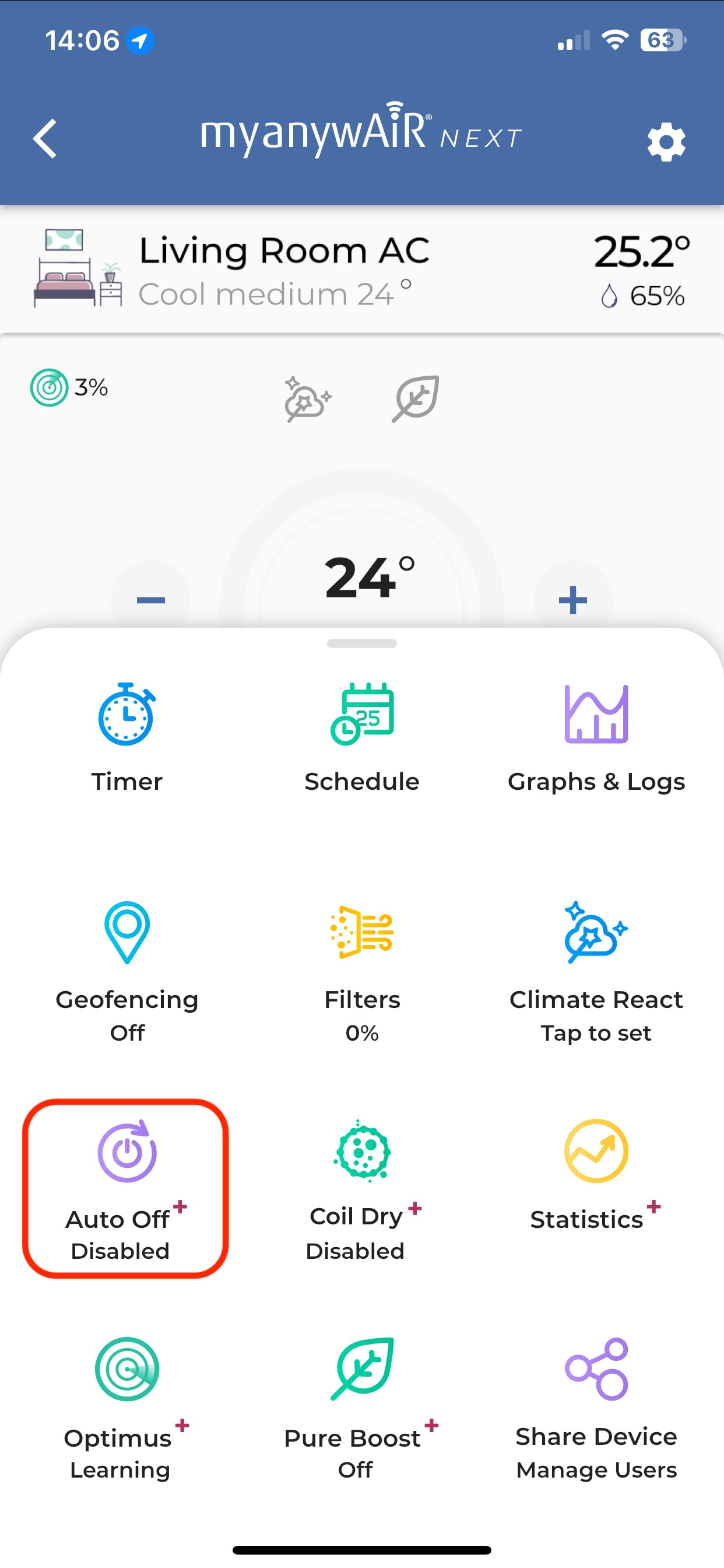
| 1 | Open the device menu From the air conditioner control screen, swipe up to display the device menu. |
| 2 | Select Auto Off Tap Auto Off from the available device settings. |
| 3 | Choose the operating period Select how long the air conditioner should remain on before it automatically turns off. |
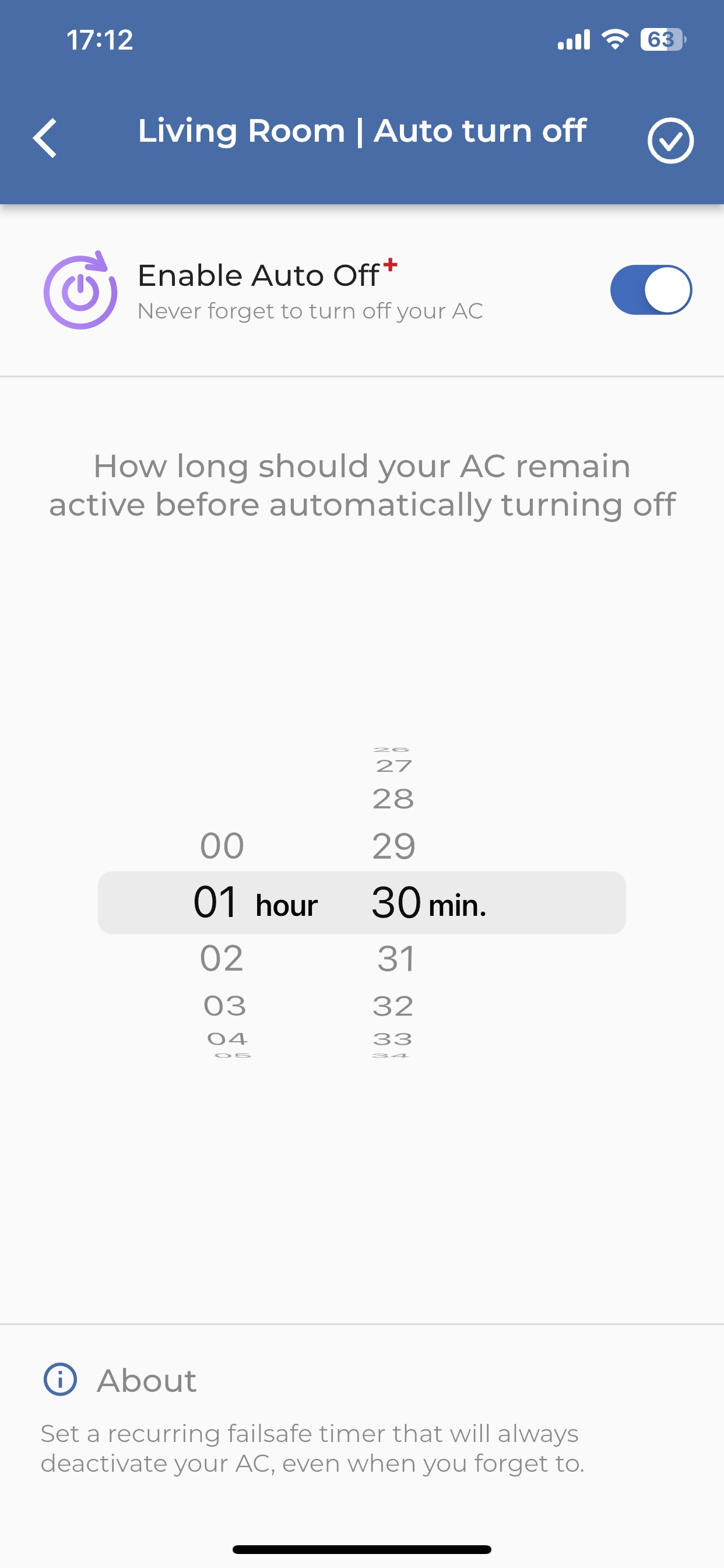
Auto Off is now configured. Whenever the air conditioner is turned on, it will automatically switch off after the selected time.
Important: Auto Off is different from a one-time timer. It remains configured and applies each time the air conditioner is operated until the setting is changed or disabled.