
myanywAiR NEXT Support
How to Subscribe or Unsubscribe from myanywAiR NEXT PLUS
Manage your PLUS subscription through the app and your device's app store
You can subscribe to myanywAiR NEXT PLUS directly through the myanywAiR NEXT app. Subscription cancellations are managed through the Apple App Store or Google Play, depending on where the subscription was purchased.
Subscribe to myanywAiR NEXT PLUS
| 1 | Open the myanywAiR NEXT app. |
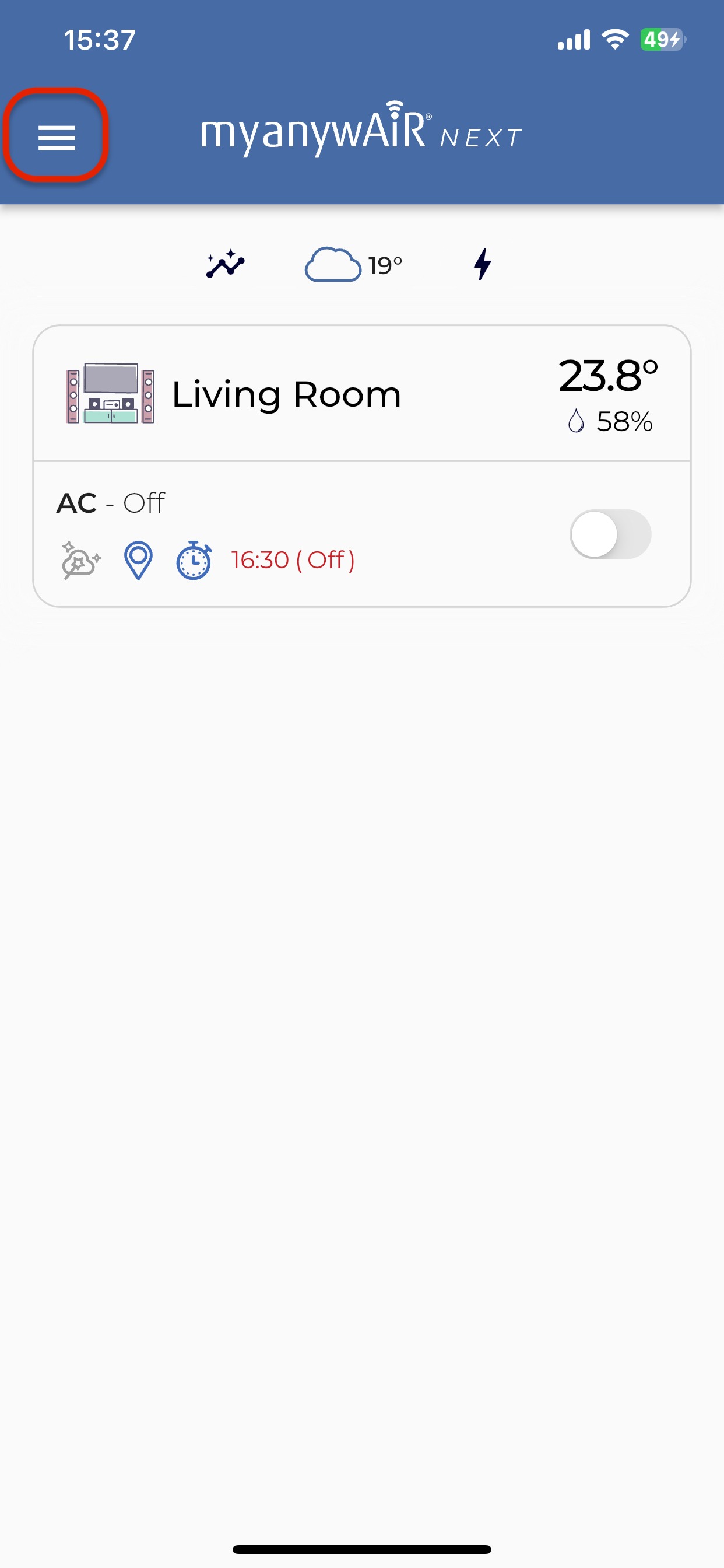
| 2 | Tap the three horizontal bars in the top-left corner to open the app menu. |
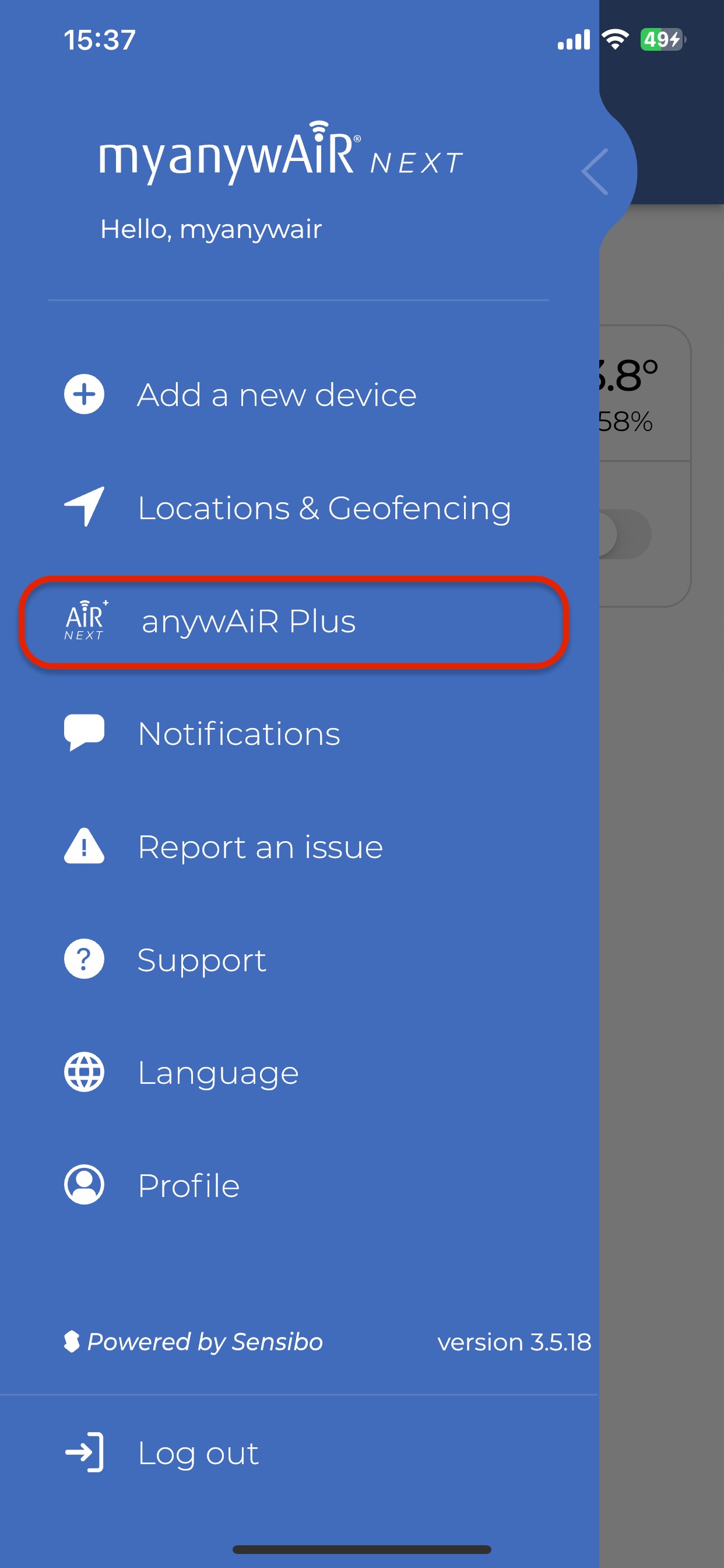
| 3 | Select myanywAiR NEXT PLUS from the menu. |
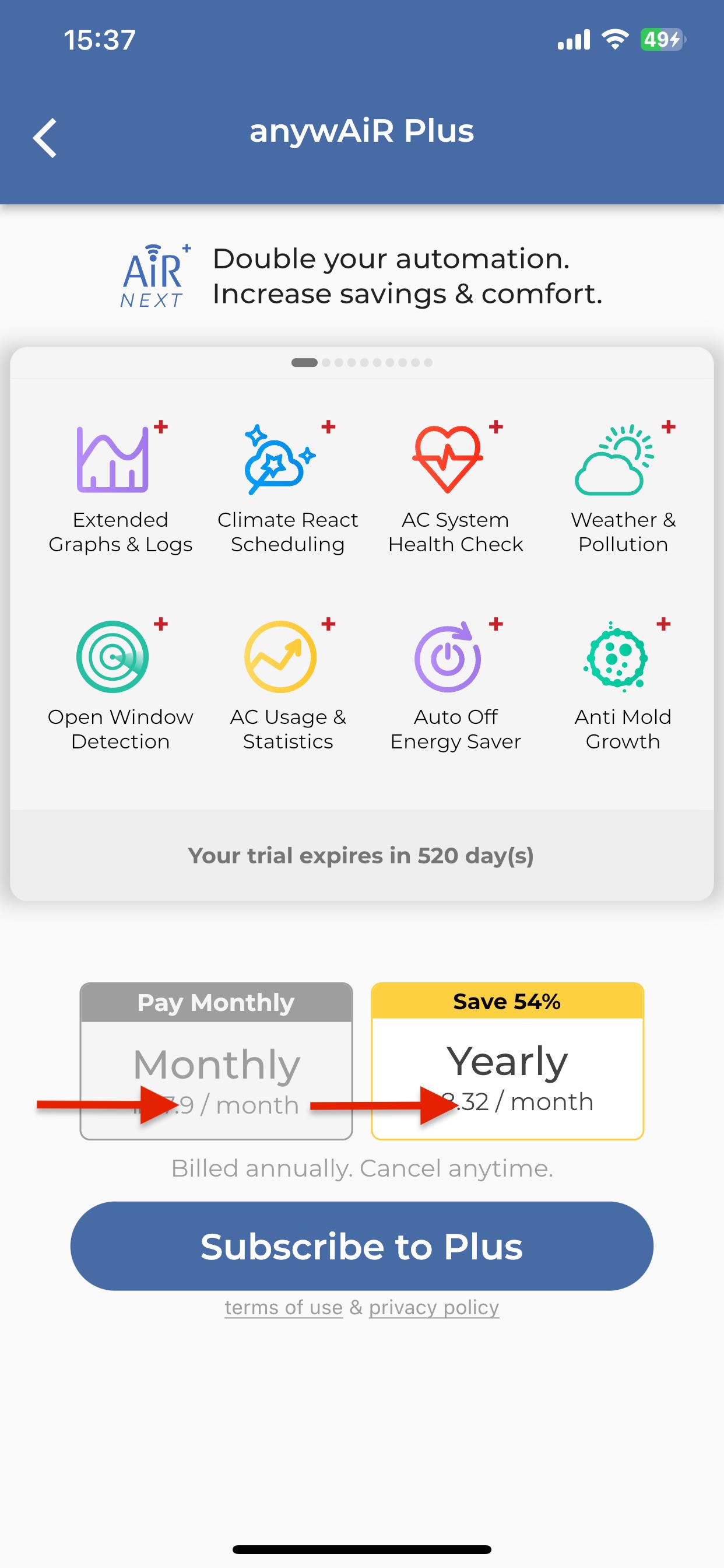
| 4 | Choose either the monthly or yearly plan, then follow the prompts to complete the subscription. |
Unsubscribe from myanywAiR NEXT PLUS
Your myanywAiR NEXT PLUS subscription is managed by the store used to purchase it:
- Apple device: Open the App Store subscription settings.
- Android device: Open the Google Play subscription settings.
Open your store's Subscriptions area, select myanywAiR NEXT PLUS, and choose Cancel Subscription.
Billing and access after cancellation
Important: Cancelling stops the subscription from renewing. Access normally remains available until the end of the current paid billing period.
For example, if a yearly subscription starts on 1 January and is cancelled on 1 April, access can continue until 1 January of the following year.
Any refund is managed by the Apple App Store or Google Play and is subject to the applicable store's terms and policies.