
General Assist How-To Guide
How to Set Auto Off with myanywAiR NEXT
Set a recurring failsafe timer that automatically turns the air conditioner off
The Auto Off feature limits how long the air conditioner can remain operating. Each time the air conditioner is turned on, myanywAiR NEXT starts the selected countdown and turns the system off when that period expires.
Auto Off is different from Timer: Auto Off is a recurring failsafe that applies whenever the air conditioner operates. The standard Timer is a one-time countdown.
Set Auto Off
| 1 | Open the myanywAiR NEXT app and select the device or room you wish to control. |
| 2 | Swipe up from the bottom of the device screen to open the feature drawer. |
| 3 | Select Auto Off.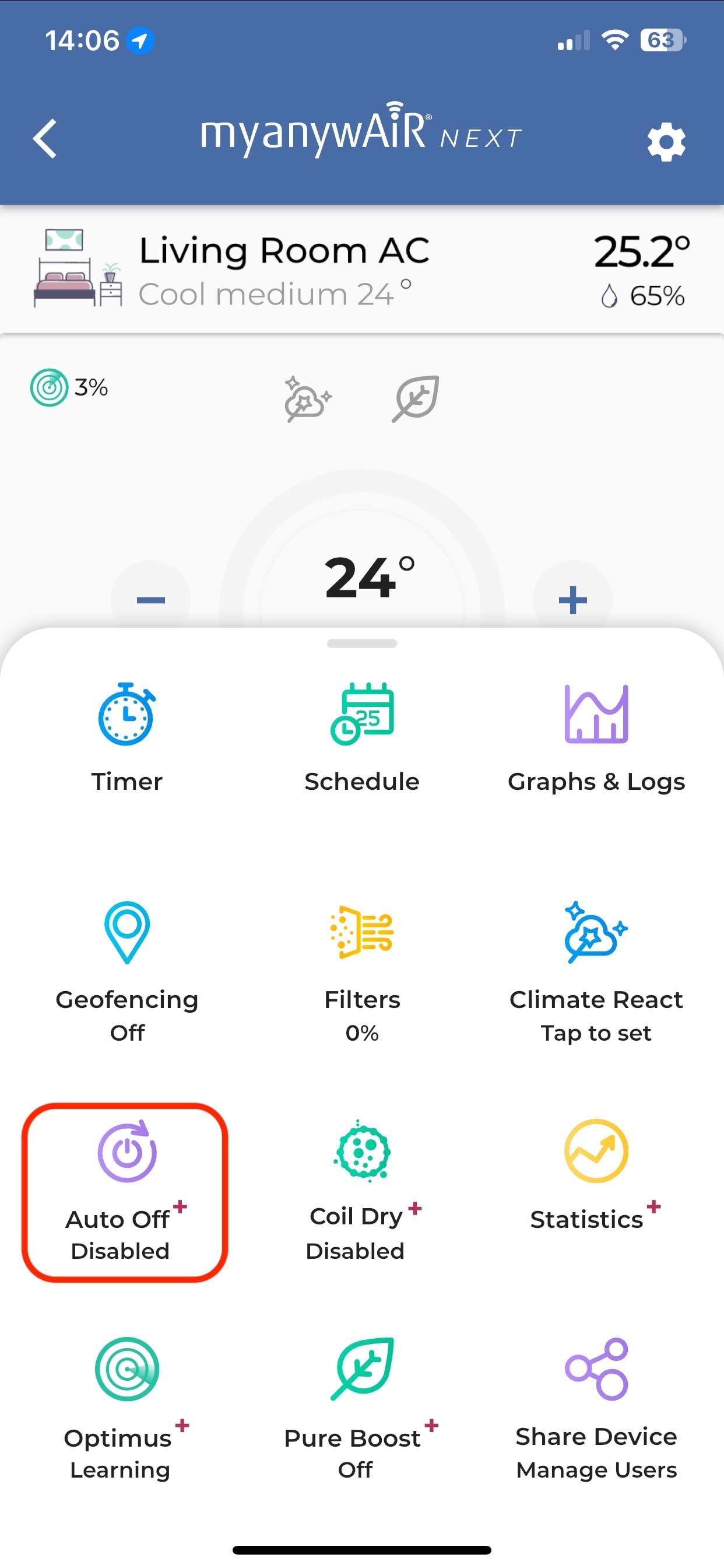 |
| 4 | Switch Enable Auto Off on.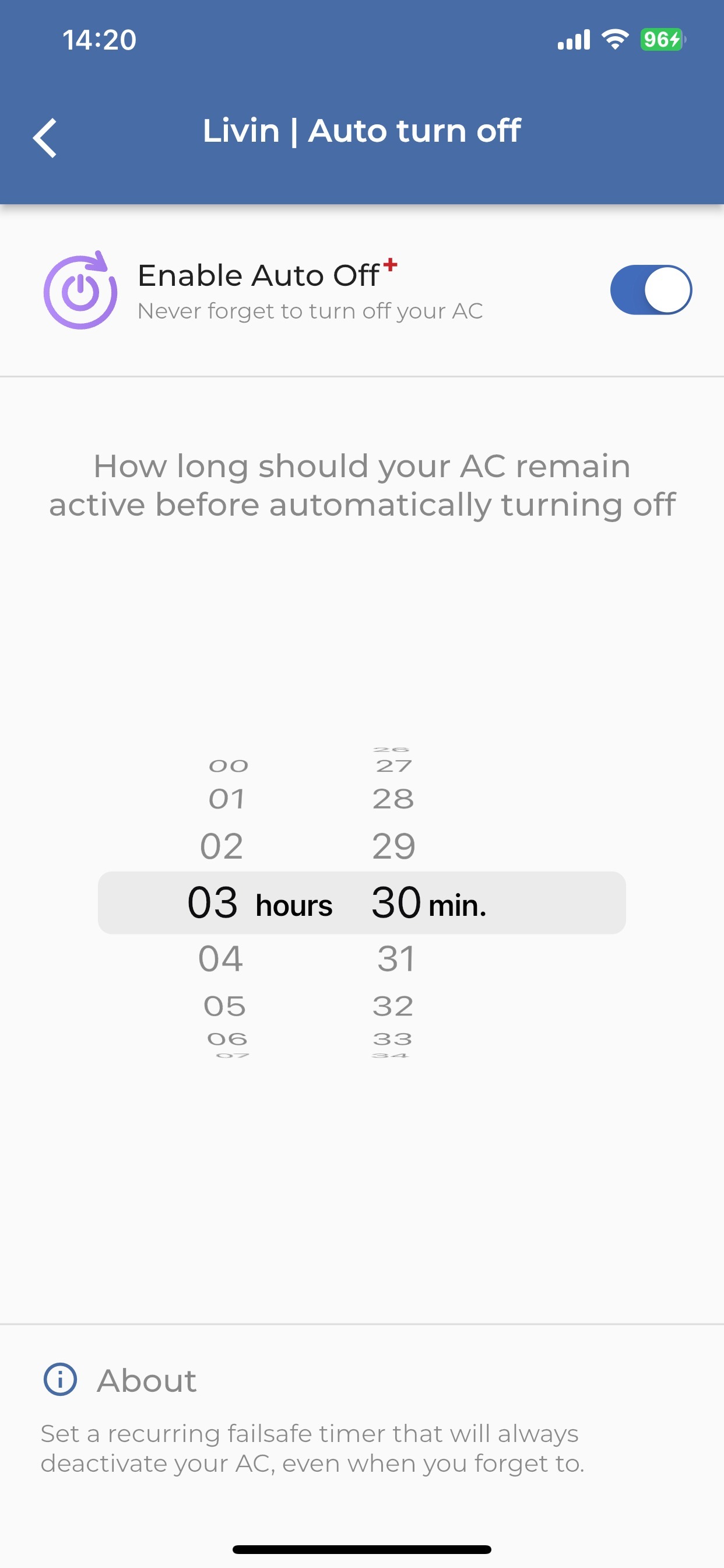 |
| 5 | Use the hour and minute selectors to choose how long the air conditioner may remain active. |
| 6 | Return to the device screen. The Auto Off tile should now show that the feature is enabled. |
How Auto Off works
| Situation | What happens |
|---|---|
| The air conditioner is turned on | The Auto Off countdown begins using the duration you selected. |
| The selected operating period expires | The air conditioner automatically turns off. |
| The air conditioner is turned on again later | A new Auto Off countdown begins. |
| Auto Off is disabled | The recurring automatic shut-off no longer applies. |
Important: Auto Off does not turn the air conditioner on. It only turns an operating system off after the selected time.
If Auto Off does not operate
| 1 | Open the Auto Off screen and confirm Enable Auto Off is switched on. |
| 2 | Confirm the selected duration is correct and has not been changed. |
| 3 | Check that the myanywAiR NEXT controller is online and displaying current room information. |
| 4 | Review schedules, Climate React, geofencing and other automations that may have changed the air conditioner state. |
| 5 | Close and reopen the app, then confirm the Auto Off tile still shows as enabled. |
Menu names and screen appearance may vary depending on the app version, controller hardware and account permissions. Some features marked with a plus symbol may require an eligible subscription or account feature.