
General Assist How-To Guide
How to Set the Timer with myanywAiR NEXT
Set a one-time countdown to turn the air conditioner on or off
The Timer feature creates a one-time countdown. The action performed when the timer finishes depends on the current operating state of the air conditioner.
How the timer works: If the air conditioner is currently on, the timer will turn it off. If the air conditioner is currently off, the timer will turn it on.
Set the timer
| 1 | Open the myanywAiR NEXT app and select the device or room you wish to control. |
| 2 | Swipe up from the bottom of the device screen to open the feature drawer. |
| 3 | Select Timer.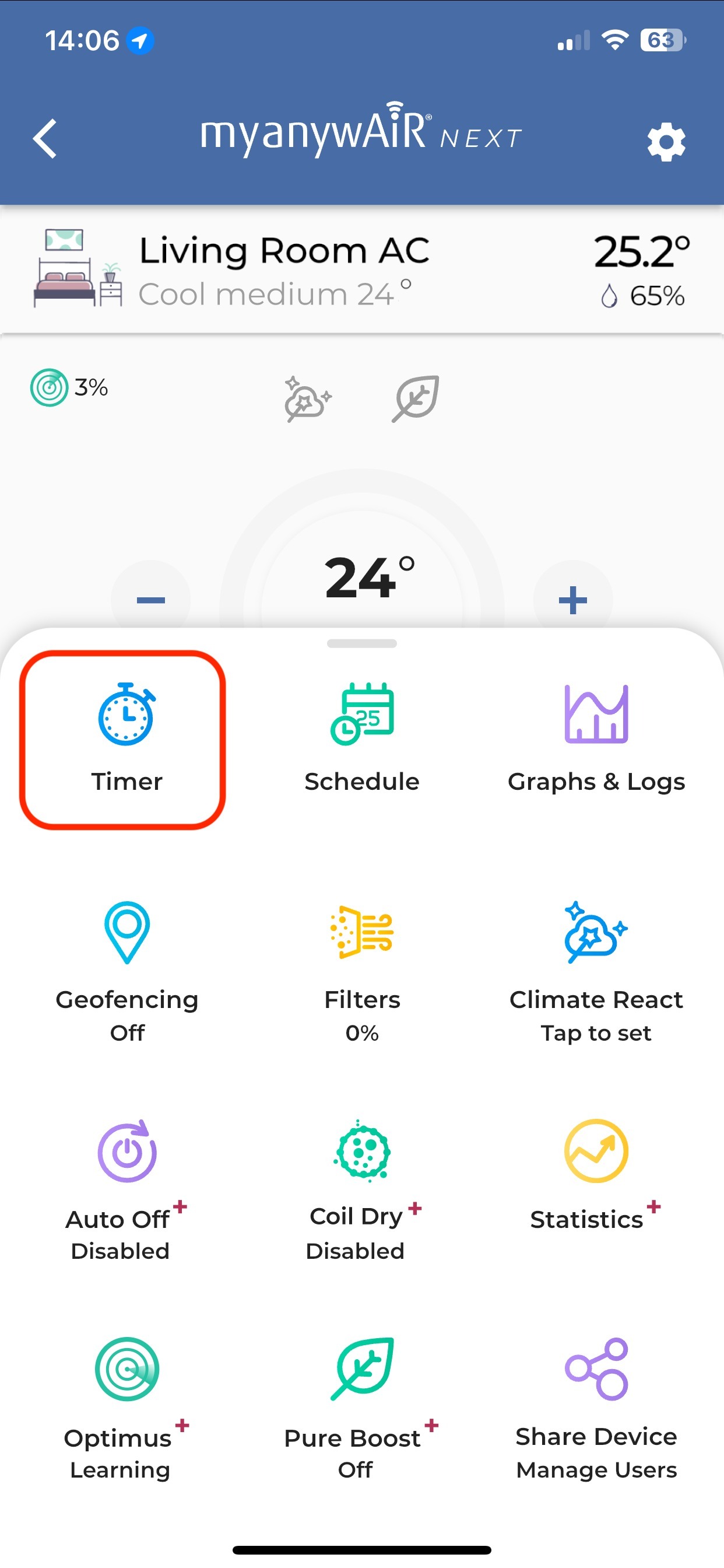 |
| 4 | Use the hour and minute selectors to choose the countdown period.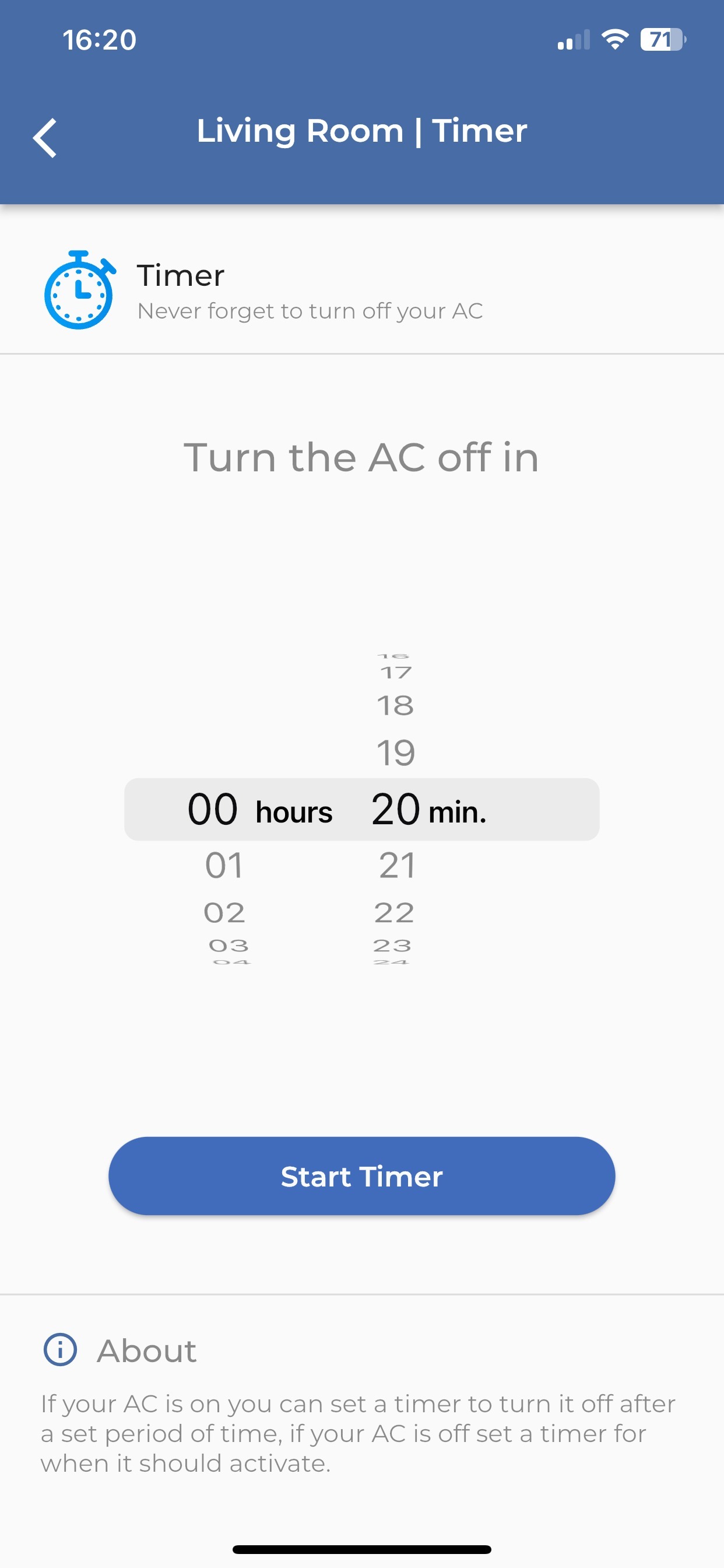 |
| 5 | Check the instruction shown on the screen. It will display either Turn the AC off in or Turn the AC on in. |
| 6 | Press Start Timer. |
What happens when the timer finishes?
| Current AC state | Timer action |
|---|---|
| Air conditioner is on | The air conditioner turns off when the countdown reaches zero. |
| Air conditioner is off | The air conditioner turns on when the countdown reaches zero. |
Important: This is a single-use countdown timer. For repeated operation at set days and times, use the Schedule feature instead.
If the timer does not operate
| 1 | Confirm the myanywAiR NEXT controller is online and showing current room information. |
| 2 | Check that the timer is still visible as active on the device screen. |
| 3 | Confirm the air conditioner has not been manually turned on or off after the timer was started. |
| 4 | Check the mobile device has an active internet connection and reopen the app. |
| 5 | Confirm no schedule, Climate React rule, geofencing action or other automation changed the AC state at the same time. |
Menu names and screen appearance may vary depending on the app version, controller hardware and account permissions.