
General Assist Support Guide
Managing Users and Device Owner Controls
Control sharing, ownership and user permissions in myanywAiR NEXT
The device owner can manage who has access to the connected air conditioner and apply limits to the controls available to shared users.
To access these settings, open the device in the myanywAiR NEXT app, swipe up on the device menu and select Share Device / Manage Users.
Open the user management menu
| 1 | Open the device you want to manage in the myanywAiR NEXT app. |
| 2 | Swipe up on the device menu to open the settings drawer. |
| 3 | Select Share Device / Manage Users. |
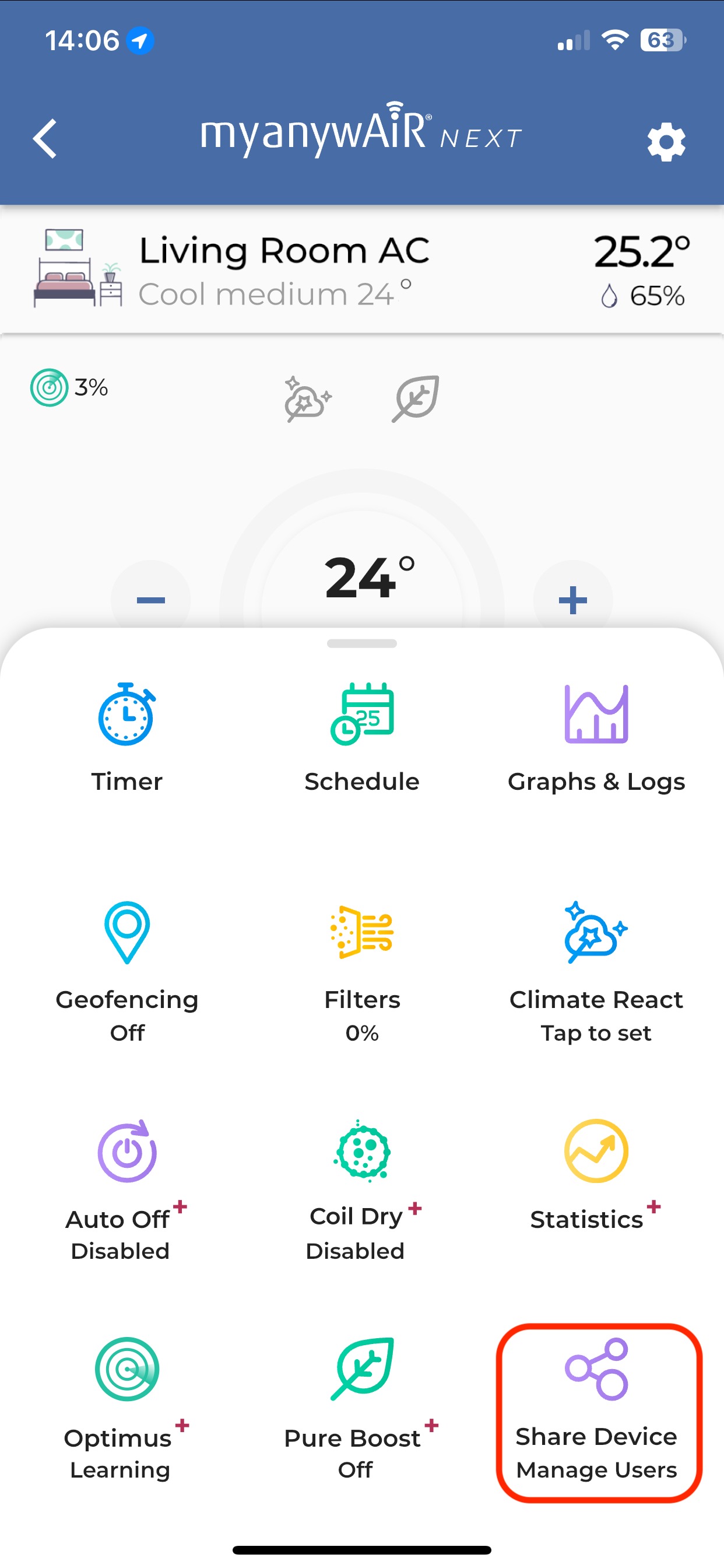
Swipe up on the device menu and select Share Device / Manage Users.
Controls available to the device owner
| 1 | Share the device Invite another person to control the connected air conditioner through their own myanywAiR NEXT account. |
| 2 | Transfer ownership Transfer primary ownership of the device to another user. |
| 3 | Set temperature limits Apply minimum and maximum temperature limits for cooling and heating operation. |
| 4 | Restrict shared-user controls Limit shared users so they can only change the air conditioner's operating state or share the device. |
| 5 | Remove device access Remove a user's access when they no longer require control of the device. |
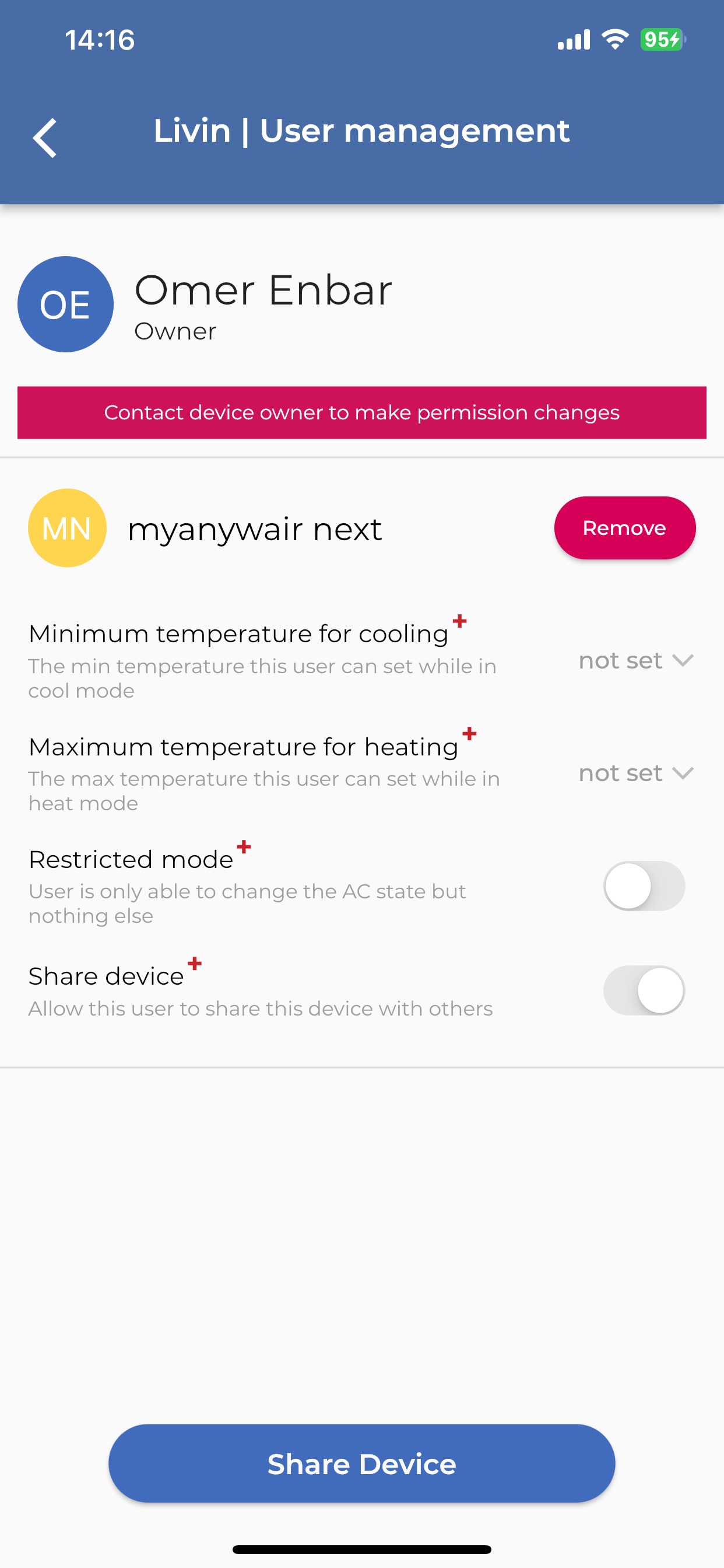
The device owner can manage ownership, temperature limits and shared-user permissions.
Important: These management options are available to the device owner. Access available to shared users may be limited by the permissions the owner selects.