
General Assist Support Guide
Reporting an Issue via the myanywAiR NEXT App
Send diagnostic information directly to the support team
Use the in-app reporting function when you are experiencing an issue with your air conditioner or the myanywAiR NEXT app.
Submitting an issue through the app creates a support request and sends diagnostic system logs to the technical team. These logs can assist with identifying the cause of the issue and determining the next steps.
How to report an issue
| 1 | Open the myanywAiR NEXT app. |
| 2 | Tap the three horizontal bars in the top-left corner of the home screen to open the main menu. |
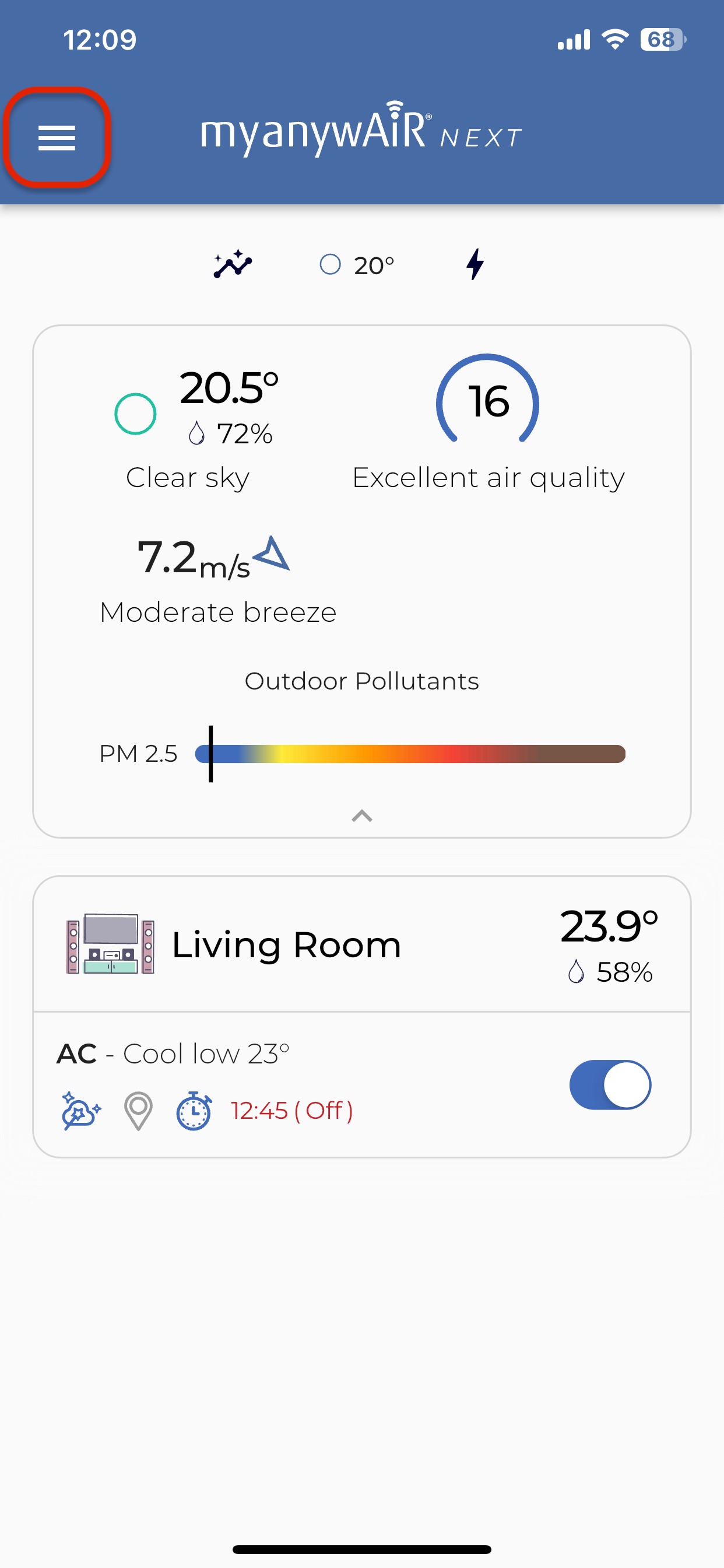
Open the menu from the top-left corner of the app.
| 3 | Select Report an Issue. |
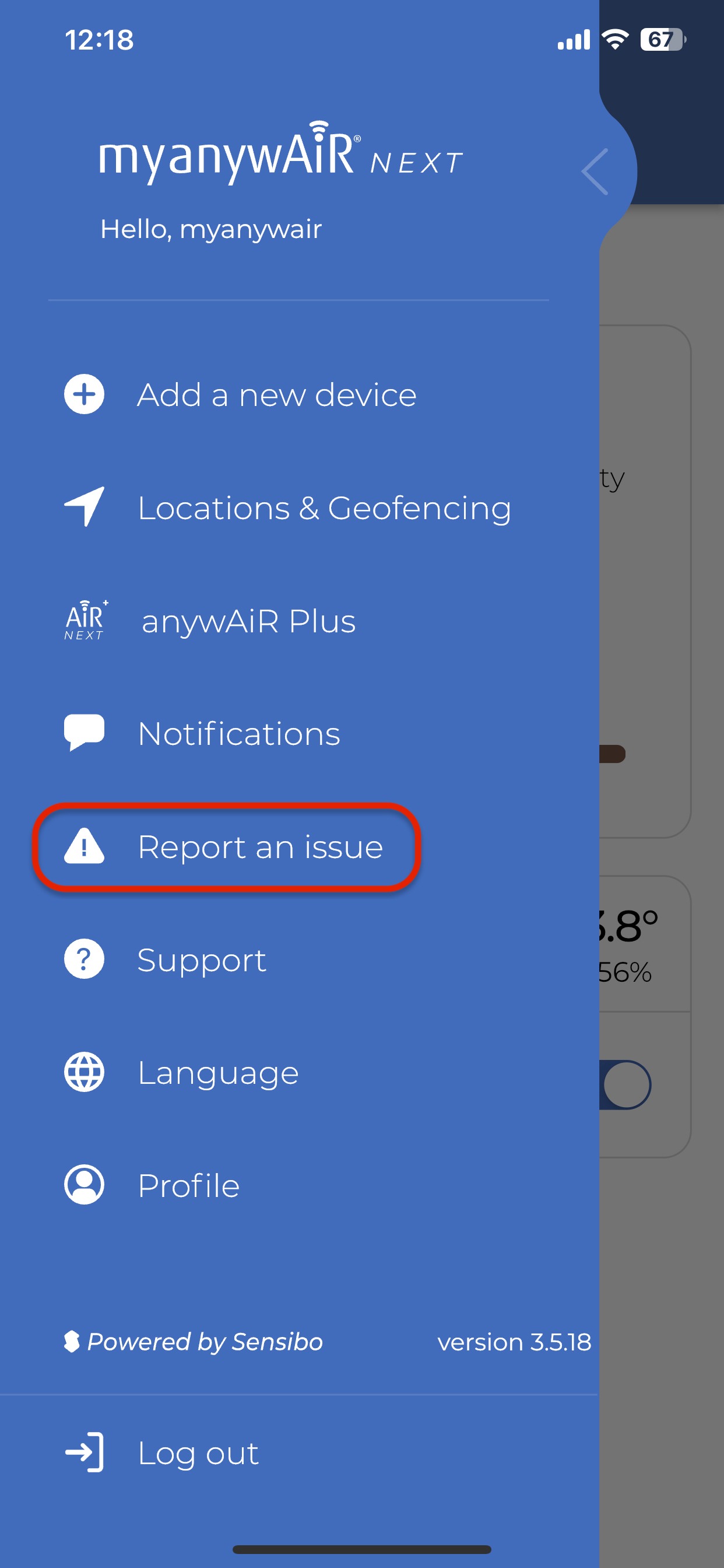
Select Report an Issue from the menu.
| 4 | In the text box, describe the issue in as much detail as possible. |
| 5 | Tap Report to submit the issue and diagnostic logs. |
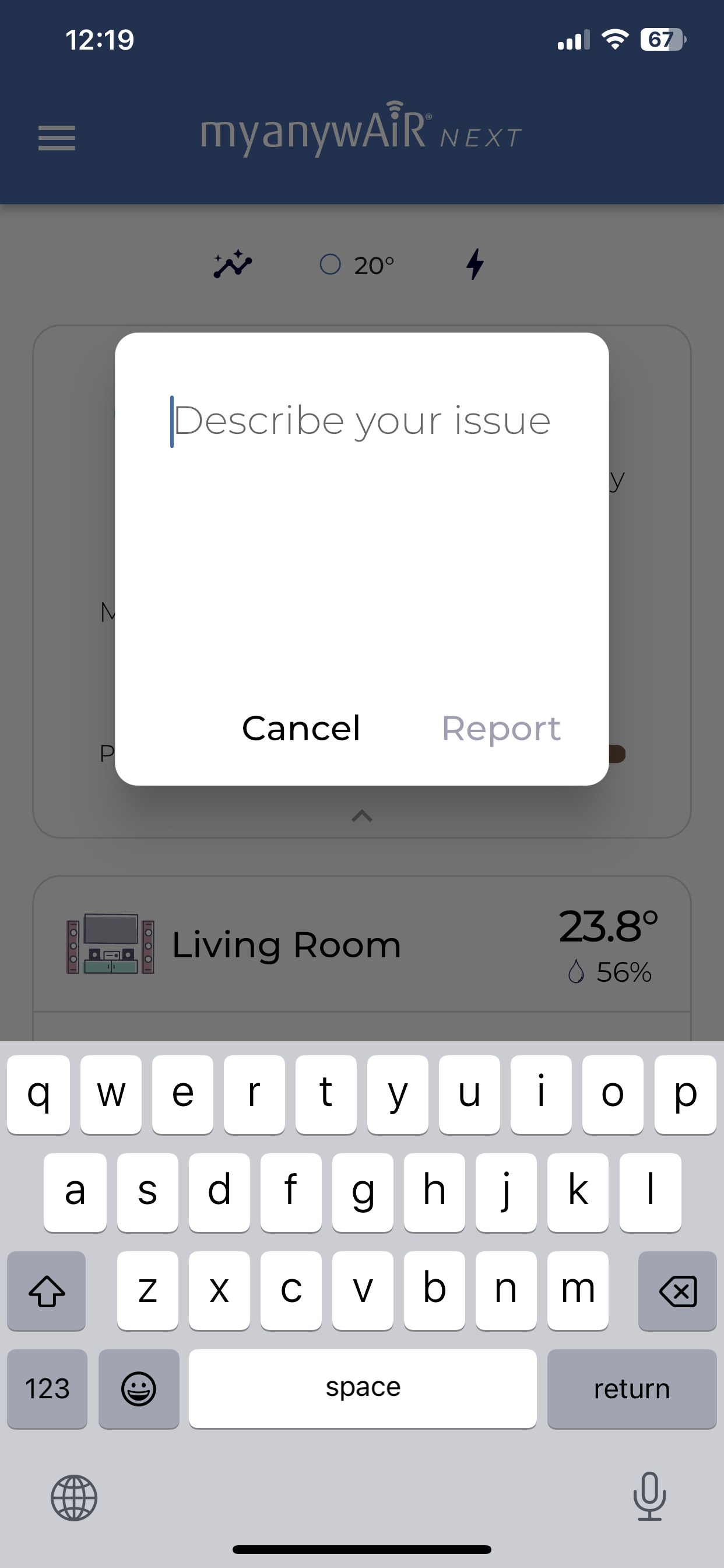
Enter the issue details, then select Report.
What information should I include?
Provide clear details about what happened and what you expected the system to do. Useful information includes:
- Any error message or error code shown in the app.
- What the air conditioner or app was doing when the issue occurred.
- The steps completed immediately before the issue appeared.
- Whether the issue is constant or intermittent.
- Any troubleshooting already completed.
Helpful tip: The more detail included in the report, the easier it is for the technical team to assess the issue without requesting additional information.
What happens next?
- The report and available diagnostic logs are sent to the support team.
- A support agent reviews the information provided.
- The support team will contact you directly after the issue has been assessed.
Important: Keep the app connected to the internet and avoid deleting the affected device from your account while the report is being reviewed, unless instructed by the support team.