
anywAiR Controller Guide
Adjusting Tablet Sound Settings
Change media, notification and alarm volume on the anywAiR controller tablet
Exit the anywAiR app temporarily, update the Android sound settings, then reopen the controller app.
Before you begin: These steps change the sound settings of the Android tablet used by the anywAiR controller. They do not change the air conditioner's operating settings.
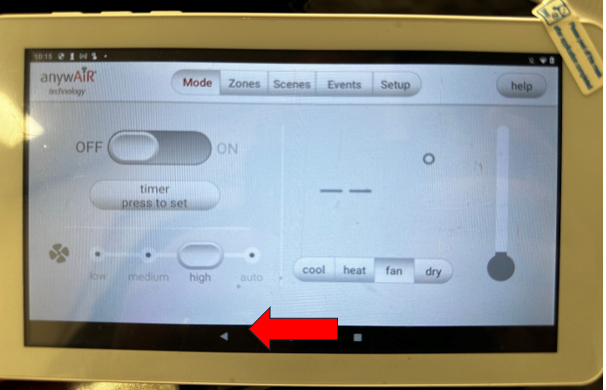
1. Exit the anywAiR app
- From the main control screen, tap the back triangle at the bottom-left of the display.
- The anywAiR app will close and the tablet will return to the Android home screen.
2. Open the Android settings menu
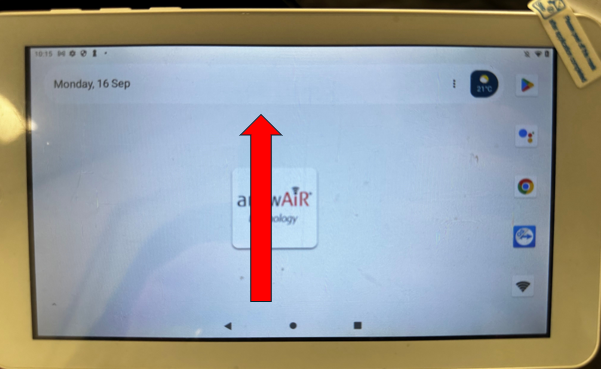
- From the Android home screen, swipe up from the bottom to open the app drawer.
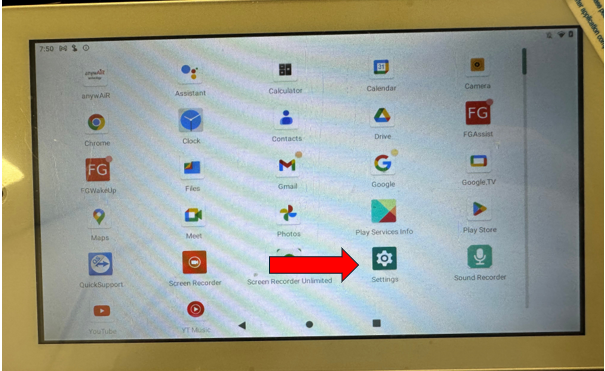
- Locate and tap the Settings app, identified by the gear icon.
3. Navigate to sound settings
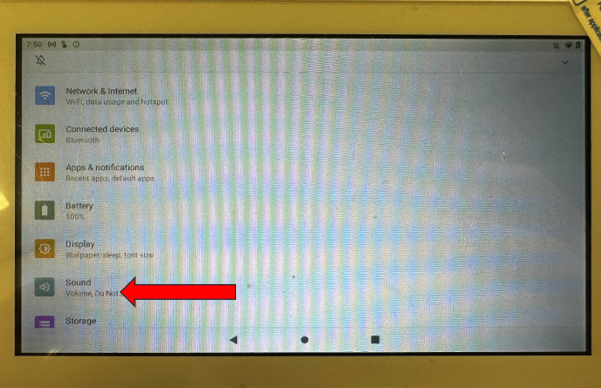
- Scroll through the Android settings menu and select Sound. On some tablet versions, this may be labelled Sound & Vibration.
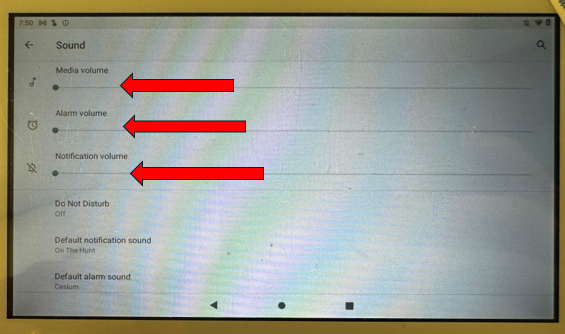
- Use the available sliders to set the required sound level.
| Sound setting | What it controls |
|---|---|
| Media volume | Controls sound from videos, music and other media played through the tablet. |
| Notification volume | Controls alerts and app notification sounds. |
| Alarm volume | Controls the volume of system alarms and reminders. |
4. Optional: Enable Do Not Disturb
For environments where the tablet must remain silent, such as an office or meeting room, enable Do Not Disturb.
- Toggle Do Not Disturb on within the sound settings menu.
- This mutes tablet notifications and system sounds.
Important: Do Not Disturb may suppress audible alerts from other Android applications. Review the tablet's settings before enabling this option in locations where audible notifications are required.
5. Return to the anywAiR app
- Press the Android back button until the home screen appears.
- Tap the anywAiR icon to reopen the controller app.
- The tablet will now operate using the updated sound preferences.
Sound still active? Return to the Android sound menu and confirm that the correct volume slider has been adjusted. Different sounds may be controlled by the media, notification or alarm volume setting.