ECA Meter Polarity Issue - Apportionment Calculation Error
This article covers an issue where the Electricity Consumption Apportionment (ECA) calculation does not recognise the electricity meter data because the meter input polarity is reversed.
Error Message
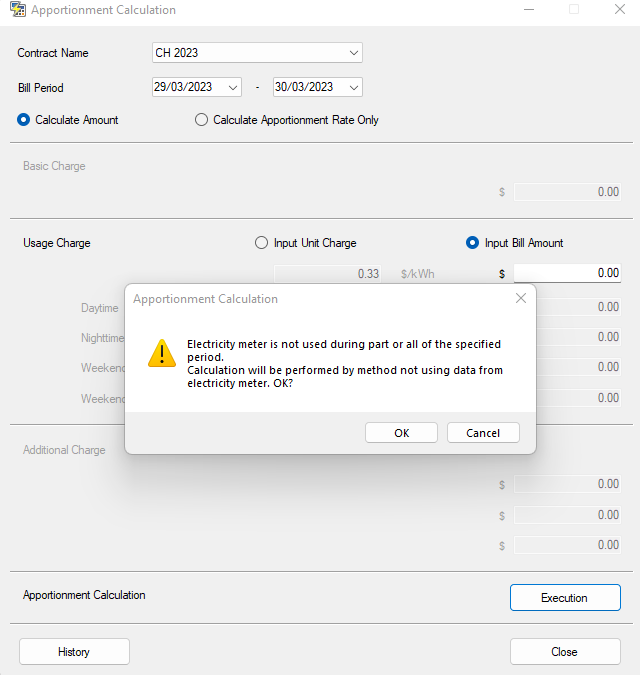
The following warning may be displayed:
Calculation will be performed by a method not using data from the electricity meter.
Cause
The electricity-meter pulse wiring polarity may be reversed between the UTY-XWZXZF connection cable and the electricity meter.
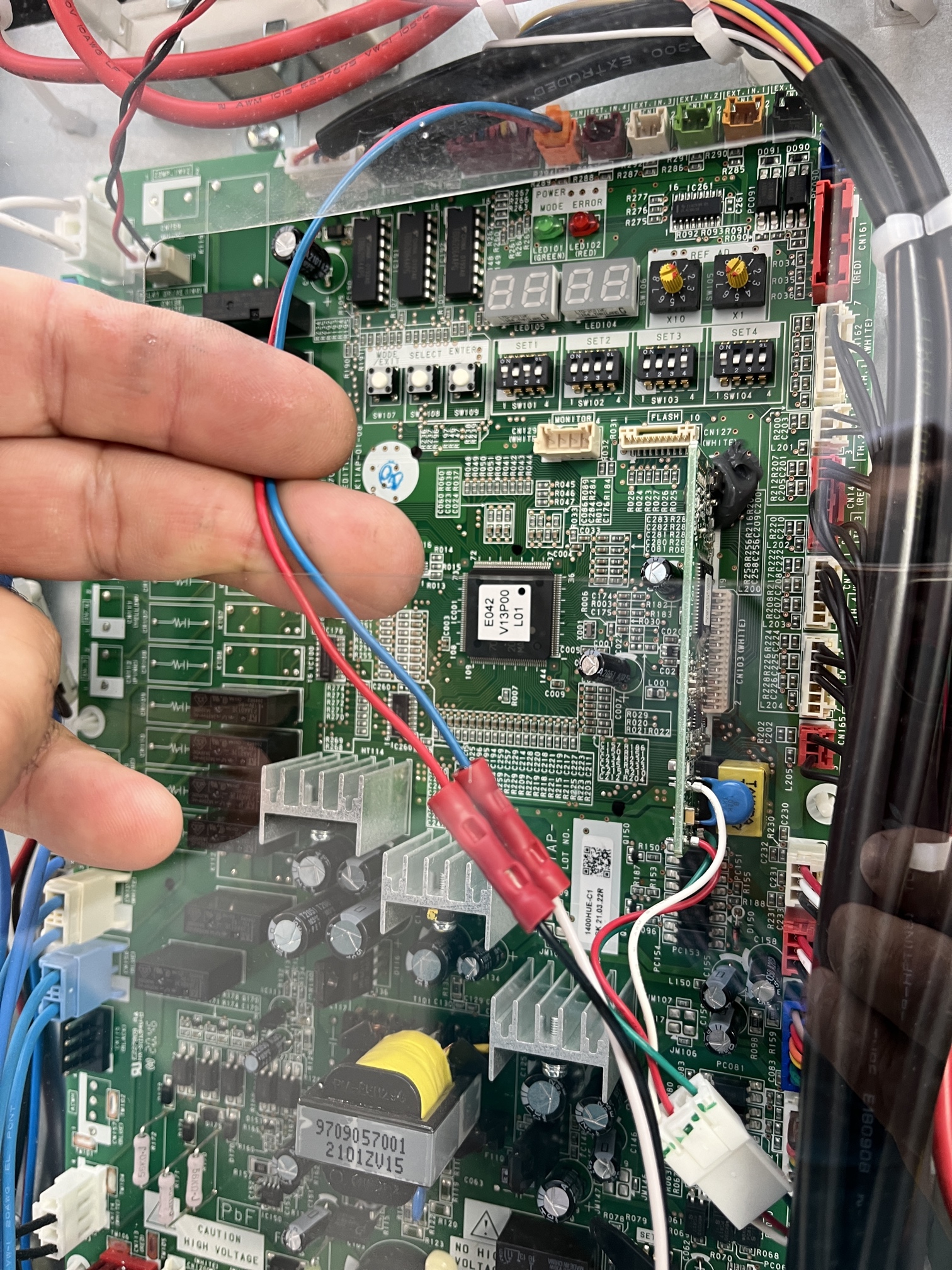
The UTY-XWZXZF cable is connected to CN135 on the outdoor unit controller PCB. If the two meter-input conductors are connected with incorrect polarity, the outdoor unit may not correctly receive the meter pulses required for ECA calculation.
Corrective Action
- Confirm the electricity meter is connected to the outdoor unit using the UTY-XWZXZF external input cable.
- Locate the UTY-XWZXZF connection at CN135 on the outdoor unit controller PCB.
- Confirm the two conductors from CN135 to the electricity meter.
- Reverse the polarity of the two electricity-meter input wires.
- Restore the system and confirm that electricity-meter pulses are being received.
- Re-run the ECA / Apportionment Calculation and confirm the warning no longer appears.
CN135 Connection
The supplied reference photograph shows the two-wire UTY-XWZXZF meter cable connected at the outdoor unit controller PCB. If the ECA software does not detect meter usage, swap the two meter conductors to correct the input polarity.
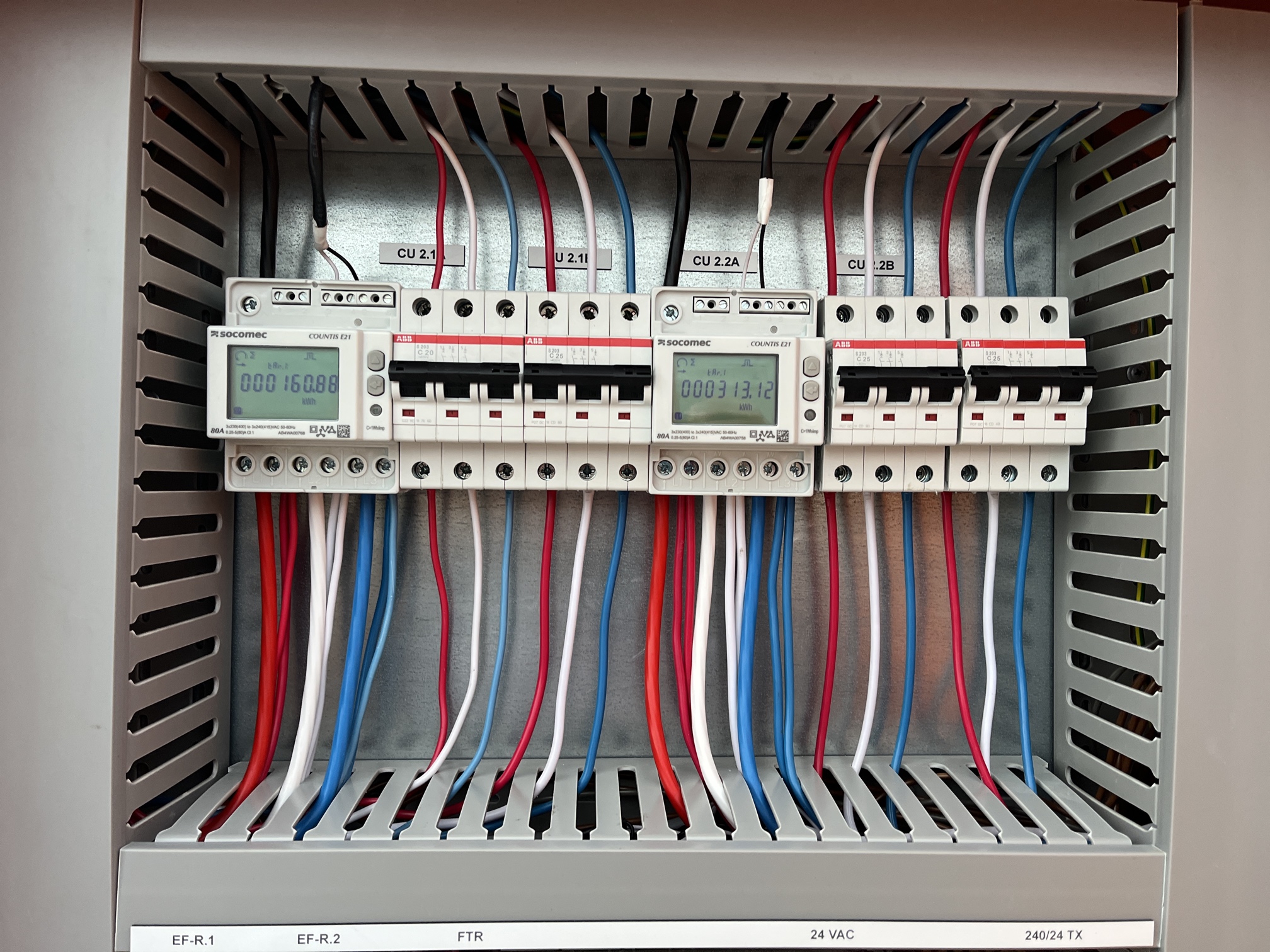
Electricity Meter Wiring
Confirm the wiring at the electricity meter as well as at the outdoor unit. The meter pulse-output conductors must maintain the correct polarity through to CN135.
Verification
- Confirm the electricity meter is powered and operating.
- Confirm the meter pulse output is wired to the correct outdoor-unit input.
- Confirm the UTY-XWZXZF cable is connected to CN135.
- If the meter is not detected, reverse the two meter-input conductors.
- Confirm meter data is being recorded before running a new apportionment period.
- Re-run the Apportionment Calculation and confirm electricity-meter data is now included.