
VRF – VII Test Run from Controller
How to initiate and stop a VRF test run using standard wired, wireless, simple and touch-panel controllers.
Purpose
Use a test run during commissioning or service checks to confirm system operation, airflow and abnormal noise or vibration. A controller-initiated test run normally operates for up to 60 minutes unless stopped earlier.
Use a test run during commissioning or service checks to confirm system operation, airflow and abnormal noise or vibration. A controller-initiated test run normally operates for up to 60 minutes unless stopped earlier.
1. Standard wired remote controller – UTY-RNK*
- Stop the indoor unit.
- Press and hold the two test-run buttons shown in the reference image simultaneously for more than 2 seconds.
- The air conditioner will start a test run and the test-run indicator will appear on the controller display.
- During test run, temperature-setting functions are not available. Other buttons, displays and protection functions remain operational.
- Allow the test operation to run for up to 60 minutes.
- To stop the test run early, press the controller START/STOP button.
During the test: confirm normal operation and check that there are no abnormal sounds or excessive vibration.
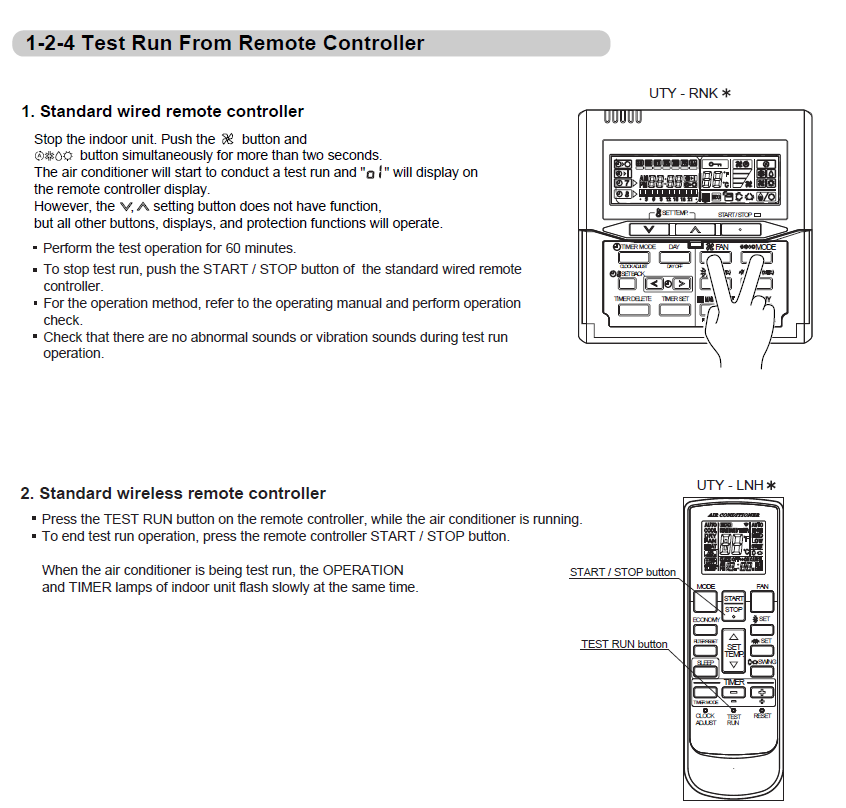
2. Standard wireless remote controller – UTY-LNH*
- Start the air conditioner.
- While the air conditioner is running, press the TEST RUN button on the wireless remote controller.
- While test run is active, the indoor unit OPERATION and TIMER lamps will flash slowly at the same time.
- To end the test run, press the remote controller START/STOP button.
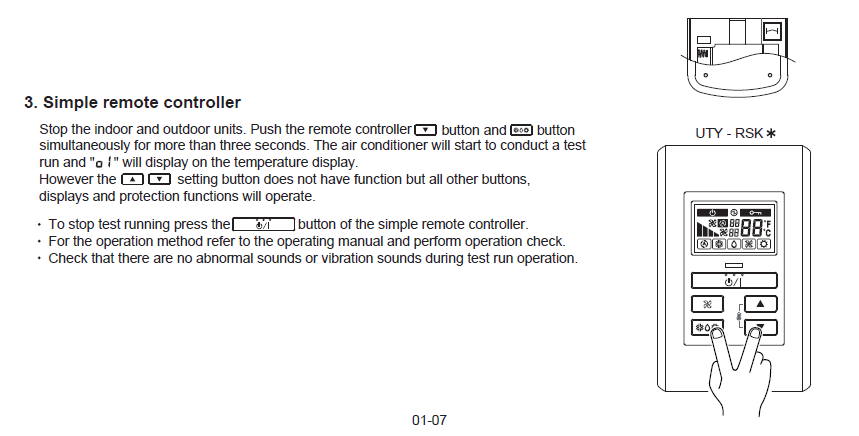
3. Simple remote controller – UTY-RSK*
- Stop the indoor and outdoor units.
- Press and hold the two buttons shown in the reference image simultaneously for more than 3 seconds.
- The air conditioner will start a test run and the test-run indication will appear on the temperature display.
- During test run, the temperature-setting buttons do not function. Other buttons, displays and protection functions remain operational.
- To stop the test run, press the controller ON/OFF button.
During the test: confirm normal operation and check that there are no abnormal sounds or excessive vibration.
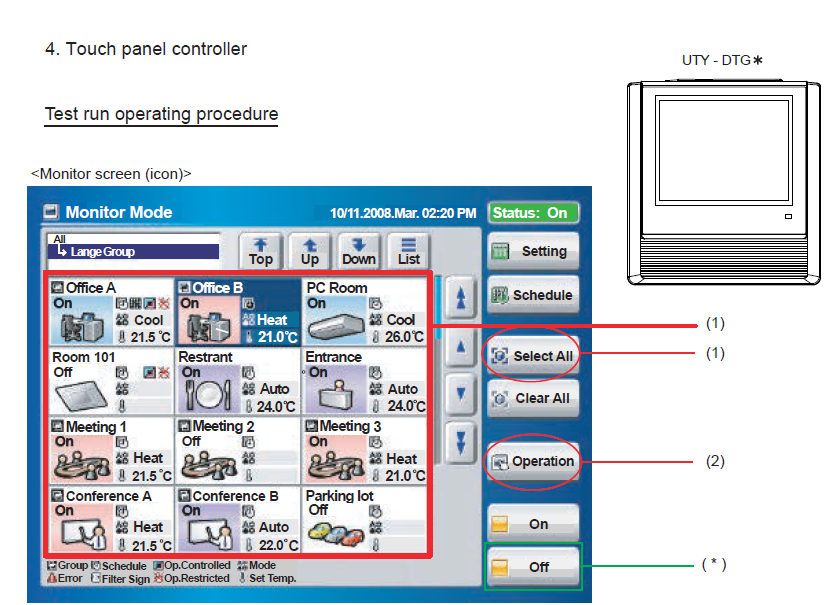
4. Touch panel controller – UTY-DTG*
Step 1 – Select the indoor unit or group
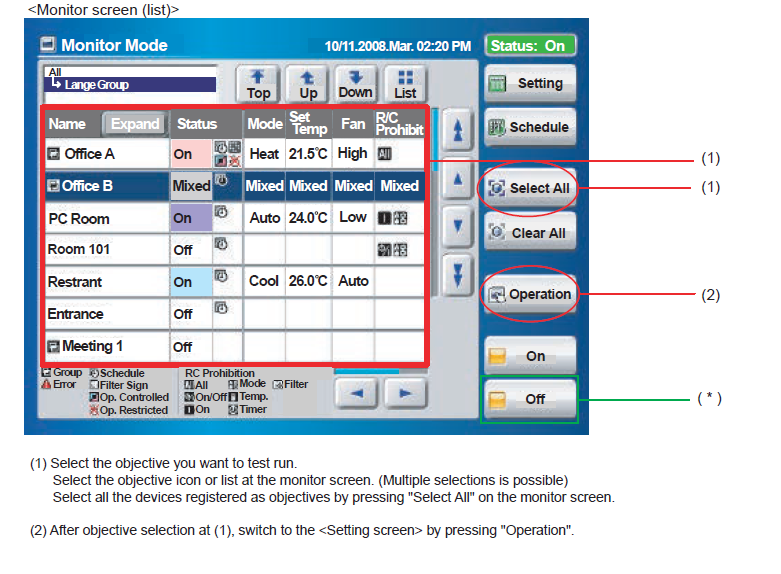
- From the Monitor screen, select the indoor unit or group you want to test. Multiple selections are possible.
- To select all registered devices, press Select All.
- Press Operation to open the setting screen.
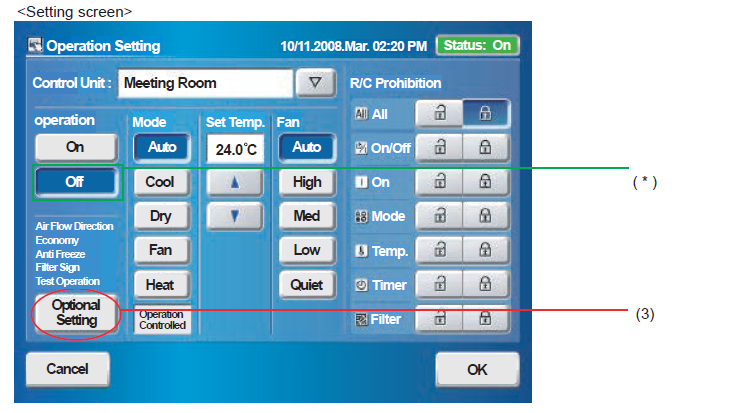
Step 2 – Start the test run
- On the detailed operation setting screen, locate Test Operation.
- Press Start.
- Press OK to send the command.
- A data-transfer screen may display while the command is being sent.
- The test run will continue for up to 60 minutes.
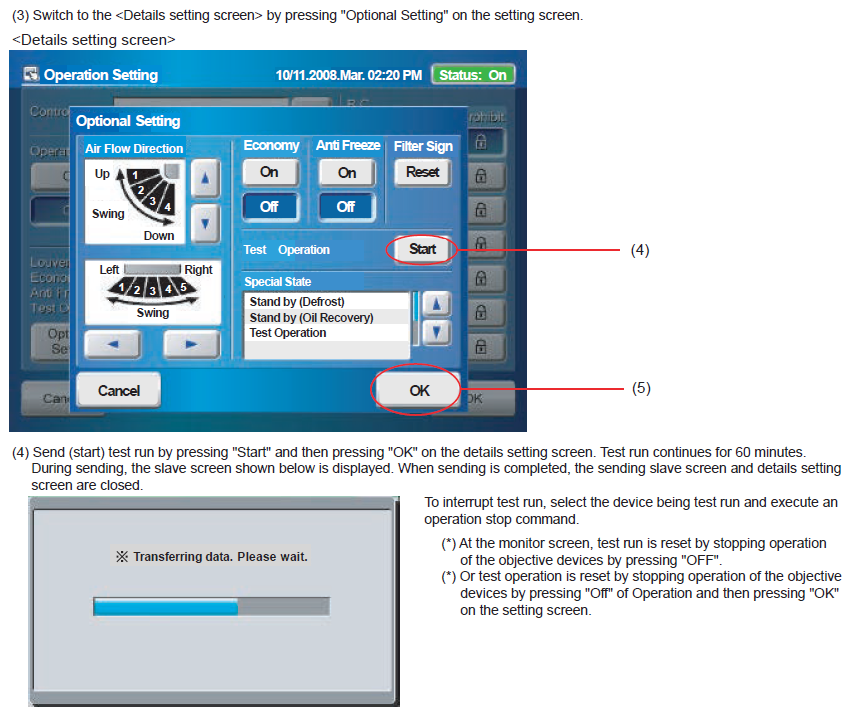
Stopping a touch-panel test run
To interrupt the test run, select the indoor unit being tested and issue a stop command.
- From the Monitor screen, select the device and press Off; or
- From Operation, select Off and press OK.
5. What the system does during test run
- When a test-run signal is received from a wired controller, wireless controller, simple controller, network controller or outdoor unit, test operation starts.
- The electronic expansion valve is driven to maximum flow regardless of the normal temperature control condition.
- Frost-prevention control has priority over test-run control.
- Whether an individual indoor unit is operating or stopped, all units on the same refrigerant circuit may operate in test run in accordance with the selected test mode.
- The test run automatically stops after approximately 60 minutes.
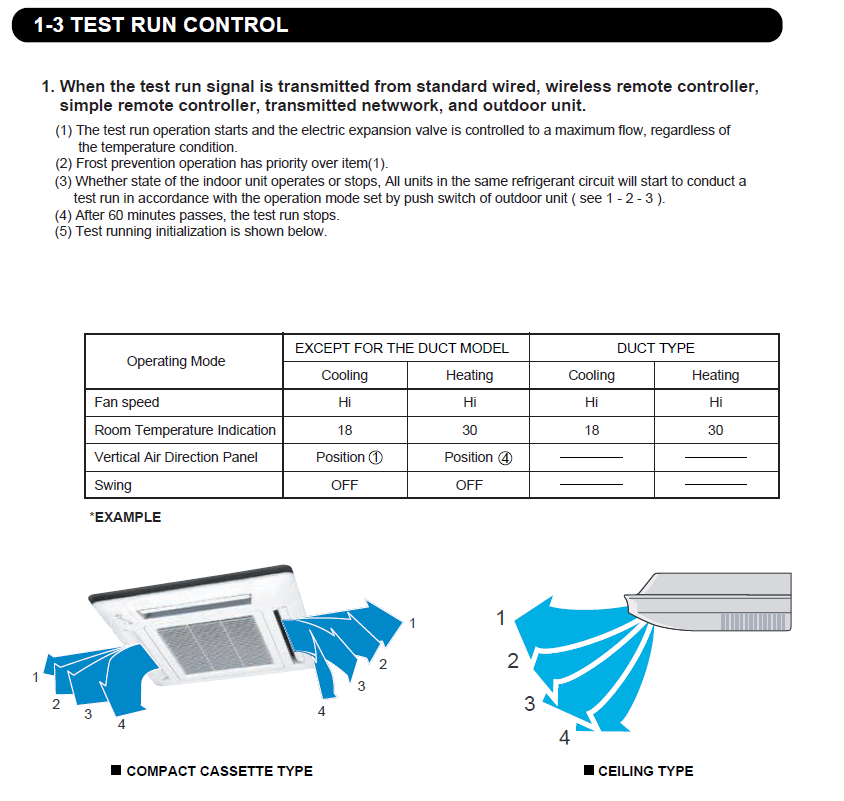
6. Typical test-run initial settings
| Setting | Cooling | Heating | Duct type |
|---|---|---|---|
| Fan speed | High | High | High |
| Room temperature indication | 18°C | 30°C | 18°C cooling / 30°C heating |
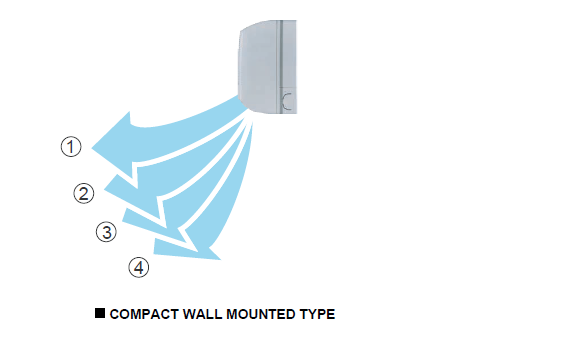
| Vertical air direction | Position 1 | Position 4 | Not applicable |
| Swing | Off | Off | Not applicable |
Important
Test run is a commissioning and diagnostic function. Confirm the correct operating mode before starting, monitor the system during the test, and investigate any abnormal noise, vibration, alarms or protection operation before returning the system to normal service.
Test run is a commissioning and diagnostic function. Confirm the correct operating mode before starting, monitor the system during the test, and investigate any abnormal noise, vibration, alarms or protection operation before returning the system to normal service.