
If you have a unit in your workshop location and don't know what job it belongs to, follow the instructions below:
Make sure the unit has been receipted
Go to E10 and open the module RP004 STOCK ON HAND FOR SERVICE
Enter in the warehouse you want to check
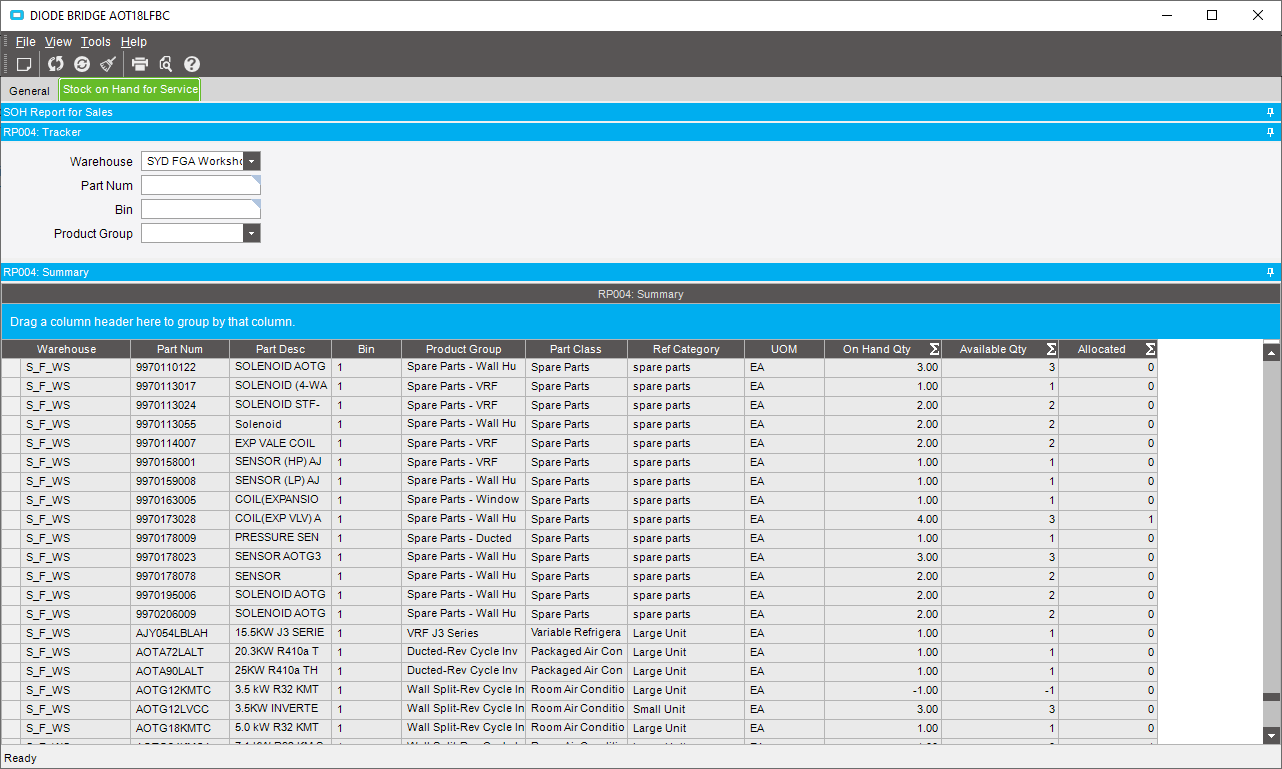
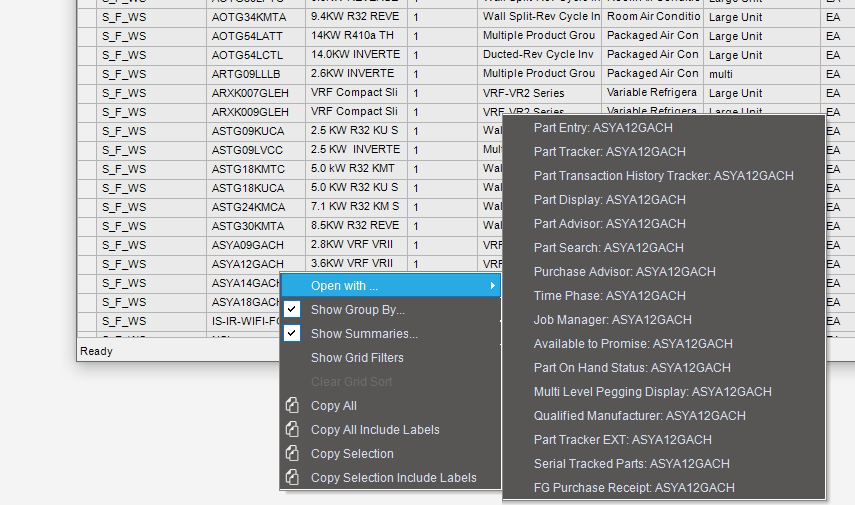
Scroll down to the part you want to check and right click on the part and open with PART TRANSACTION HISTORY TRACKER
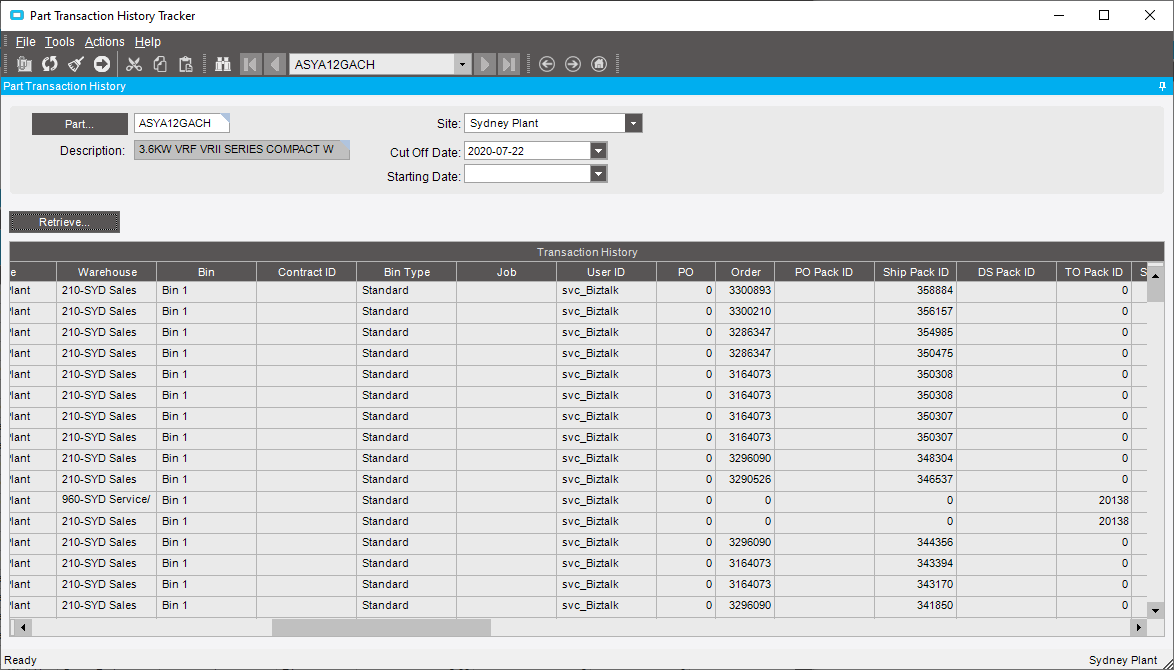
Press the RETRIEVE button
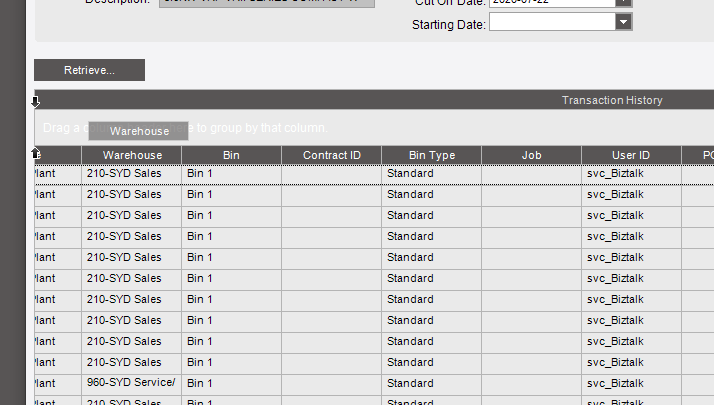
Right click on the column header label and click SHOW GROUP BY
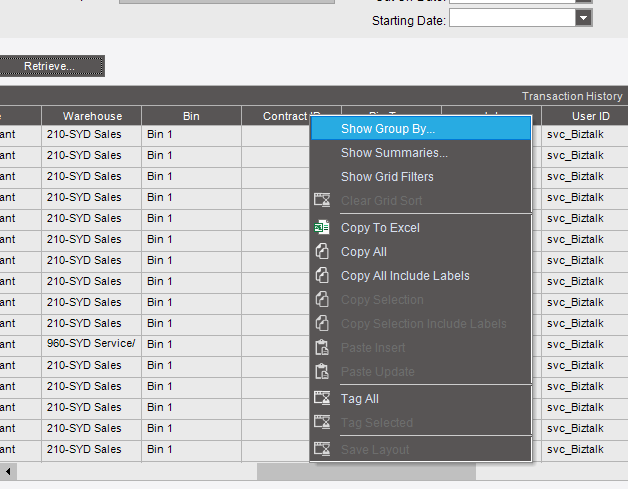
Drag WAREHOUSE into the grey box
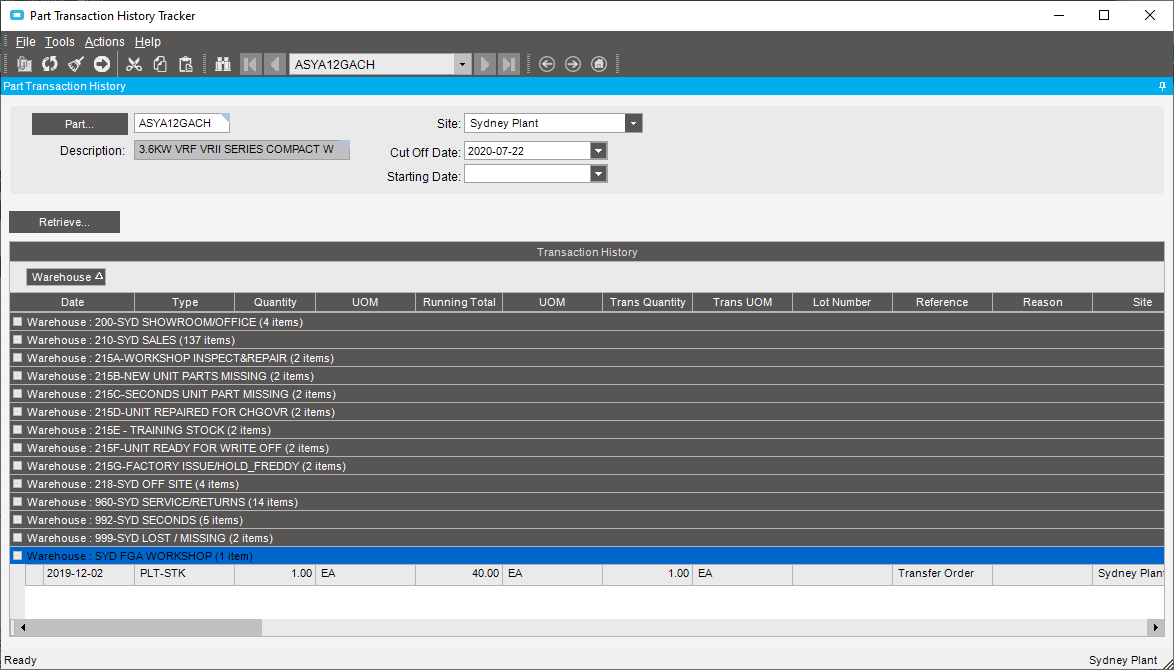
Expand the workshop warehouse
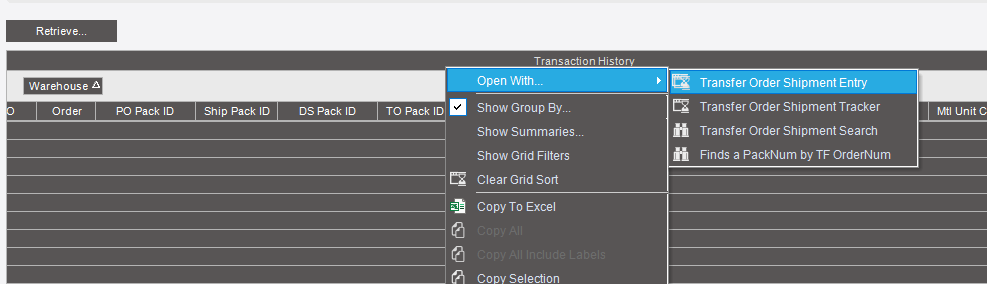
Scroll across to the TO PACK ID and right click and open with TRANSFER ORDER SHIPMENT TRACKER
The screen will open and you can check the TRACKING NUMBER which is the TRANSFER ORDER ID
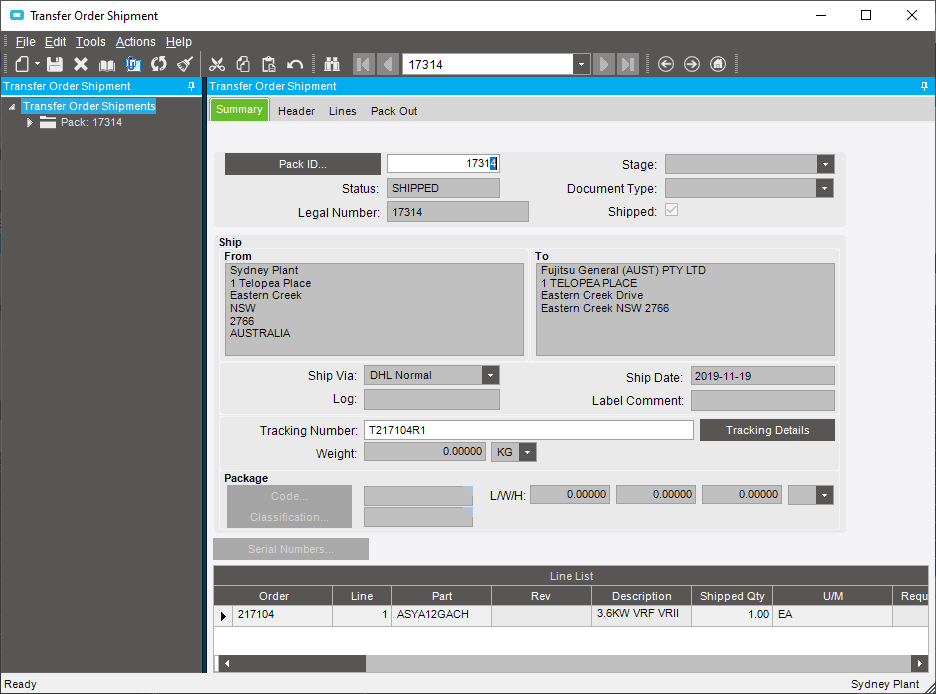
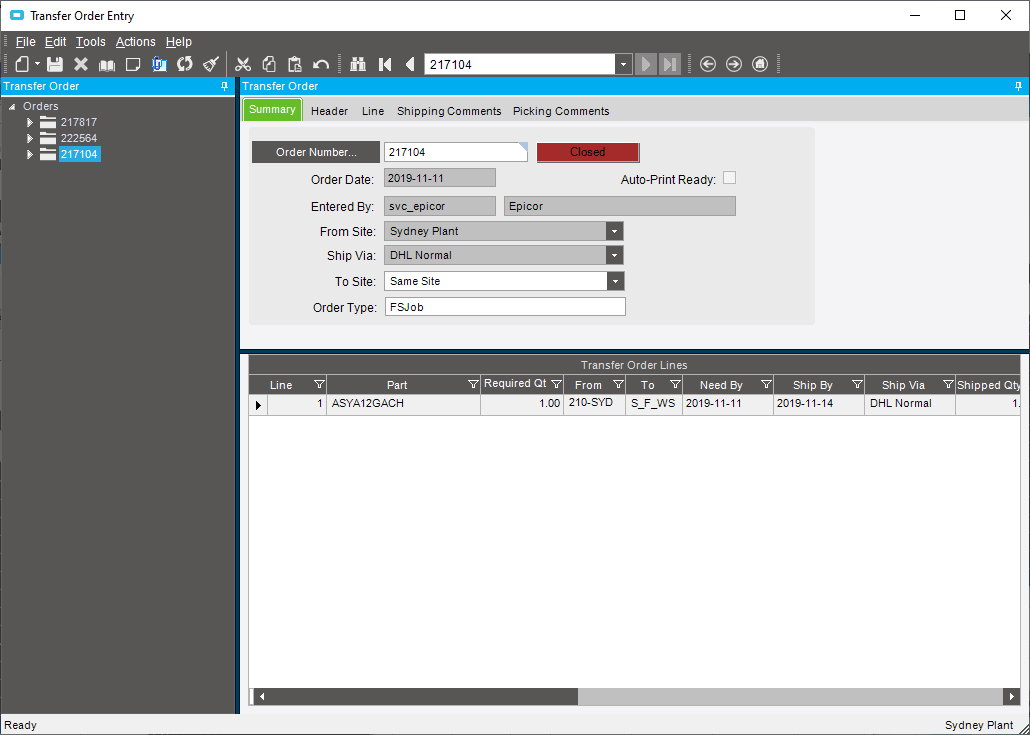
Paste the TRANSFER ORDER NUMBER (in this instance 217104) into TRANSFER ORDER ENTRY
Click on the LINE tab and the SRV number can be found which can be tracked in ServiceM8
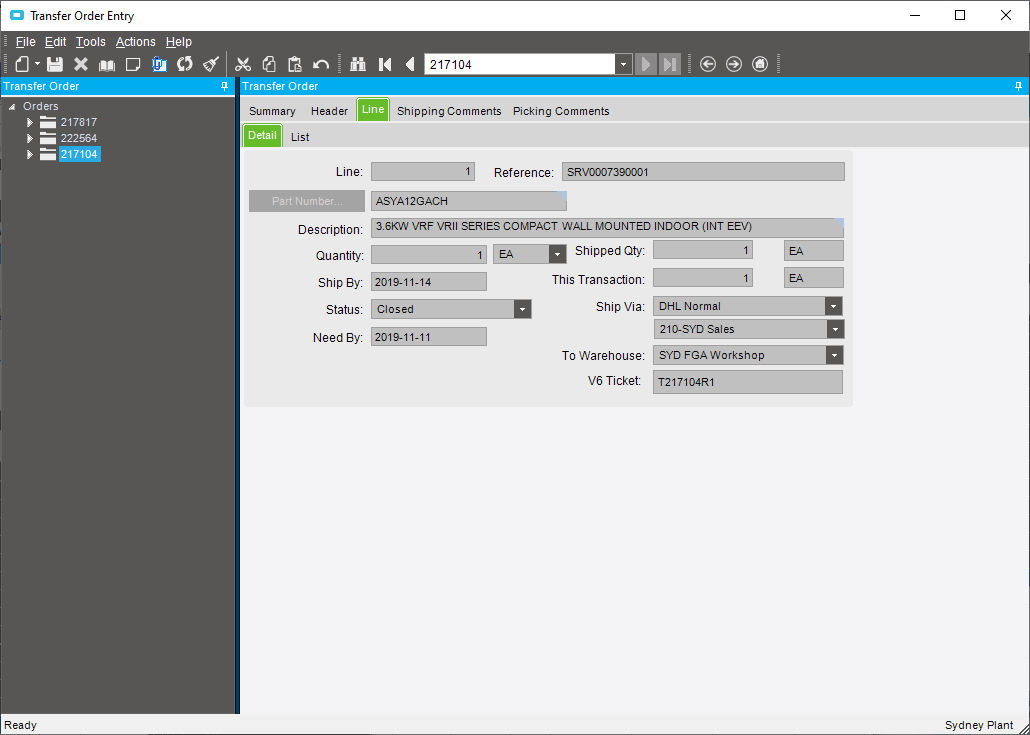
Paste the SRV into the search field of ServiceM8