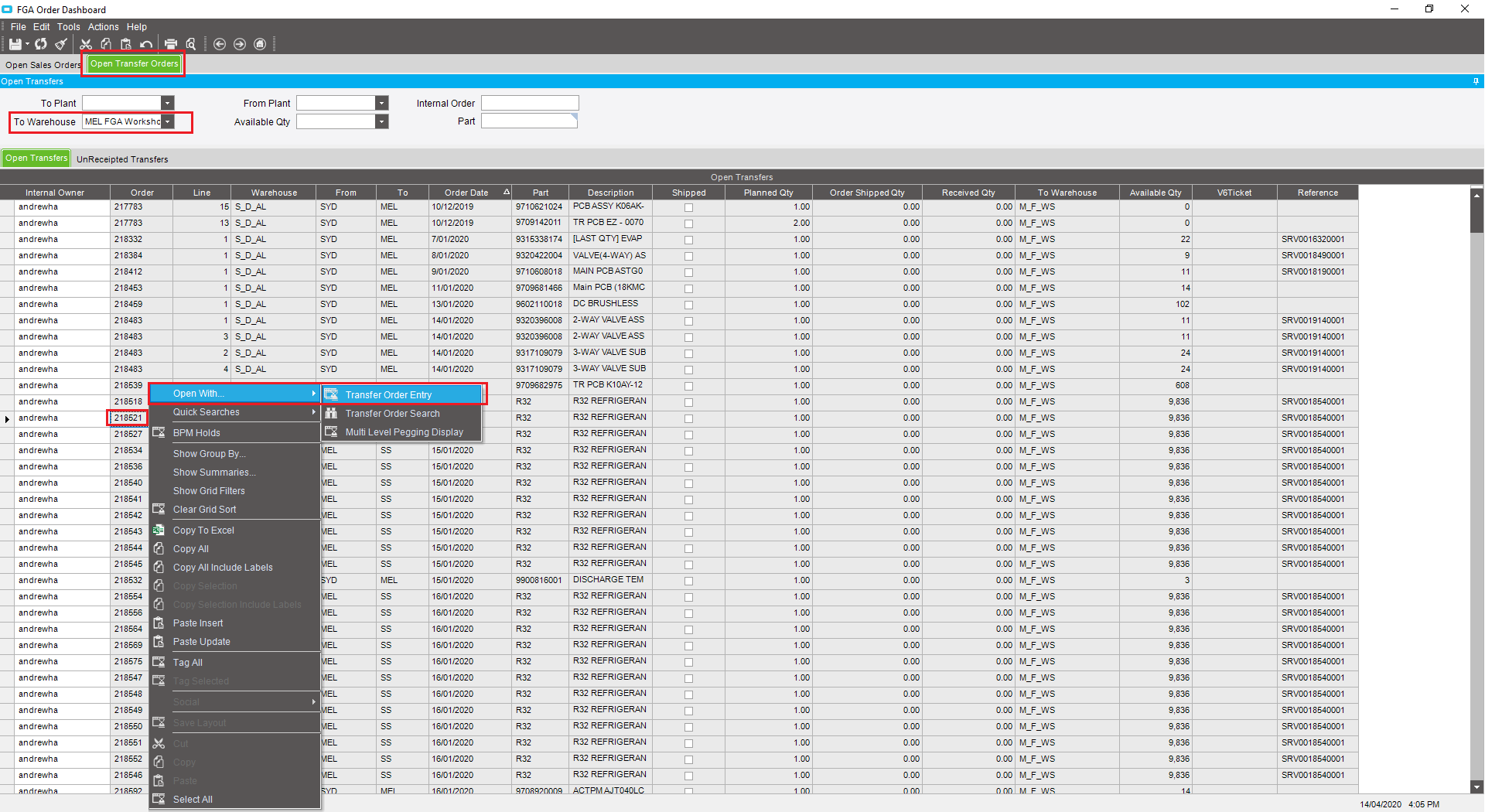
- Open ‘FGA Order Dashboard’
- Go to ‘Open Transfer Orders’ tab
- Select your ‘To Warehouse’
- Click Refresh

- Find the Transfer number you want to delete
- Right-click on the transfer number. Go to Open with – Transfer Order Entry
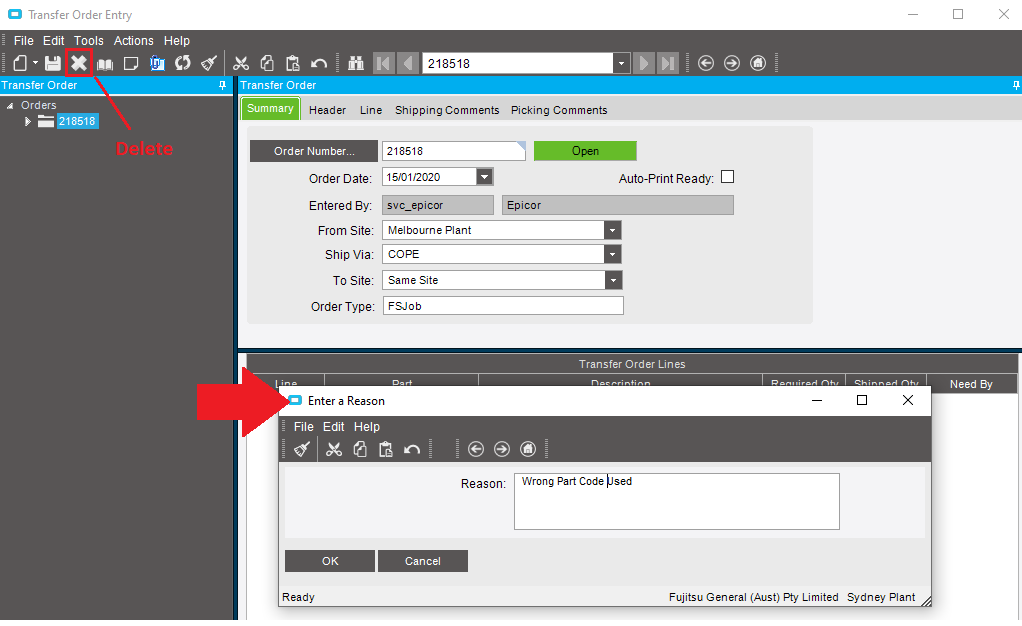
7. Click the  at the top to delete
8.Enter a reason in the pop-up screen and click OK