- MAXIMISE the E10 page by clicking on the top right corner icon
- Click EDIT
- Click ‘App Link’
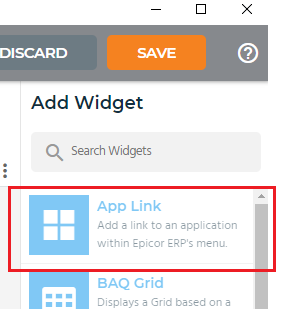
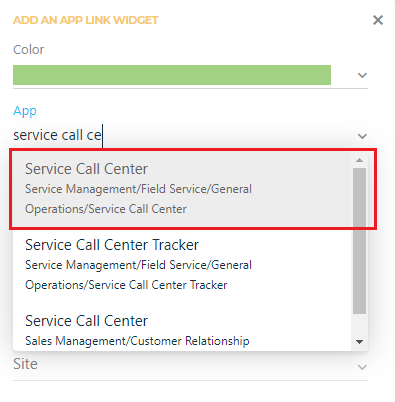
- Search for ‘Service Call Centre’ in the App field and click on it to select it.
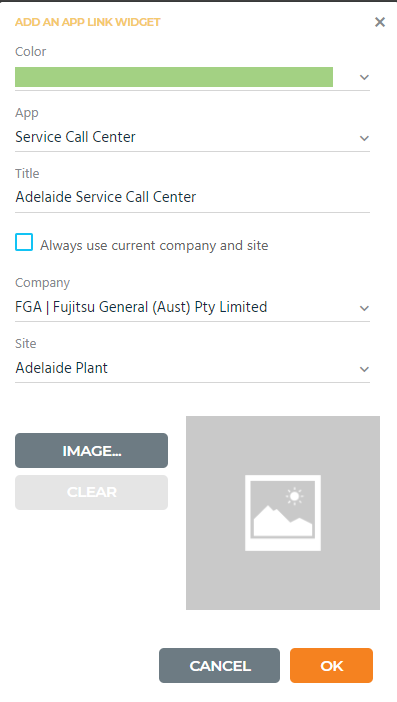
- Change the fields for ‘Service Call Centre’
- Title – change the name so you can identify this one
- Untick the box – Always use current company and site
- Company – FGA | Fujitsu General (Aust) Pty Limited
- Site – change this to your own site
- Click OK at the bottom to save and add shortcut to your E10 page
- Click SAVE on the top right hand corner of E10 page to save changes
Confirmation of Site Plant
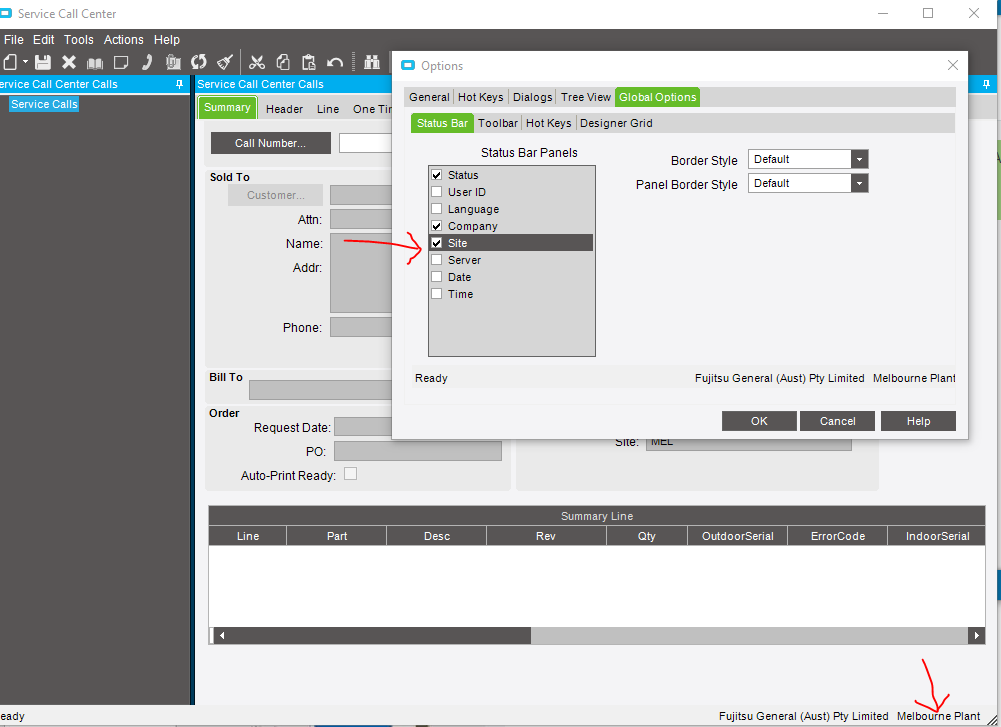
- In the top menu bar, click on ‘Tools’ and then choose ‘Options’
- Go to the last tab ‘Global Options’
- Go down to the ‘Status Bar’ tab
- Tick Company and Site
- Click OK
Now you will see the site/plant you are in at the bottom corner of ‘Service Call Centre’.