Adding a part to a kit
Print
Modified on: Tue, 23 Jul, 2019 at 3:17 PM
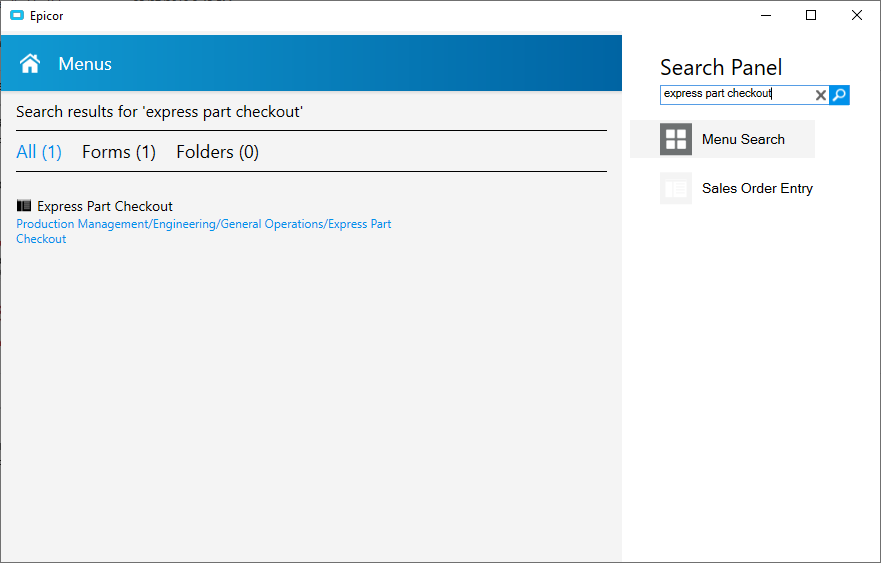
- Go to the SEARCH field enter EXPRESS PART CHECKOUT
- Enter the kit id in the PART/REVISION field and press TAB
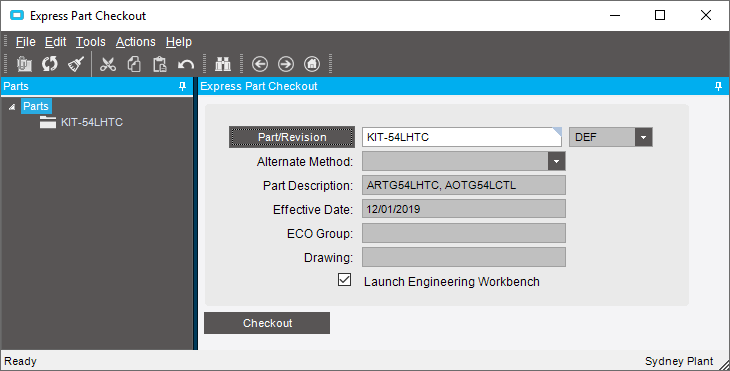
- Press he CHECKOUT button
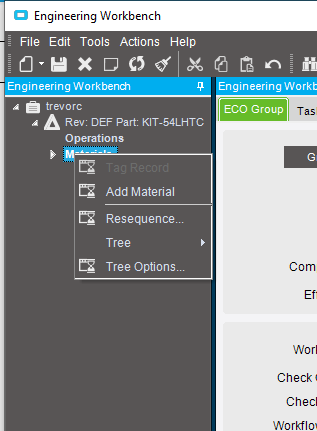
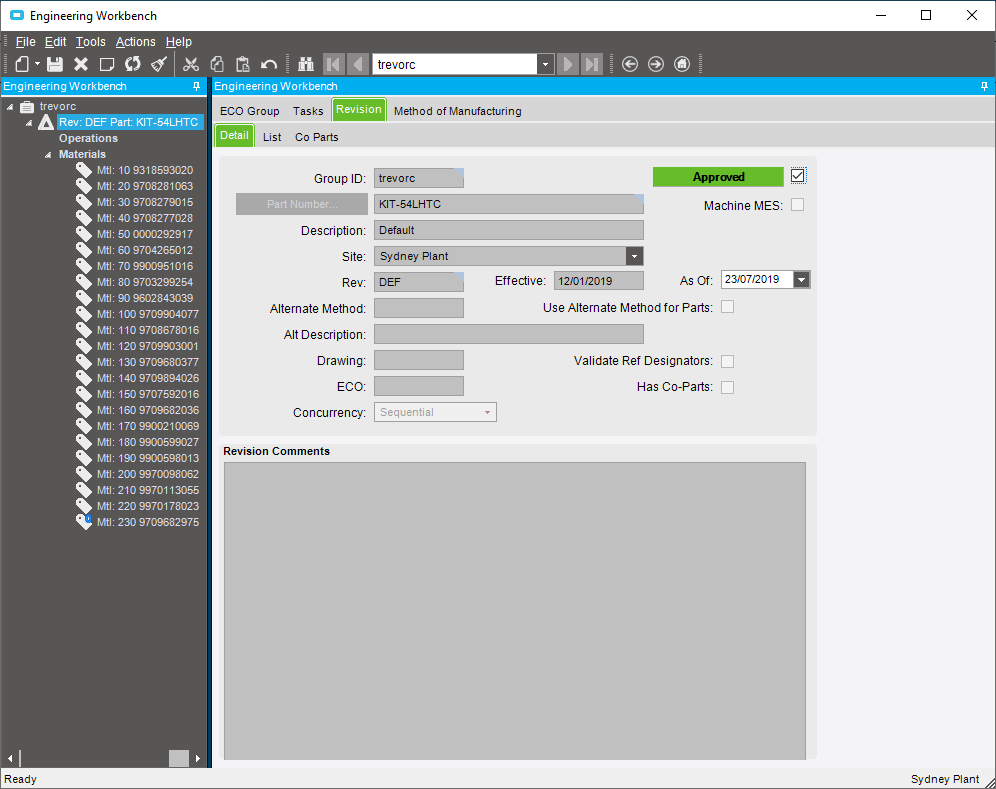
- The ENGINEERING WORKBENCH will display
- Right click n the MATERIAL and press ADD MATERIAL
- Enter the part number to add to the kit
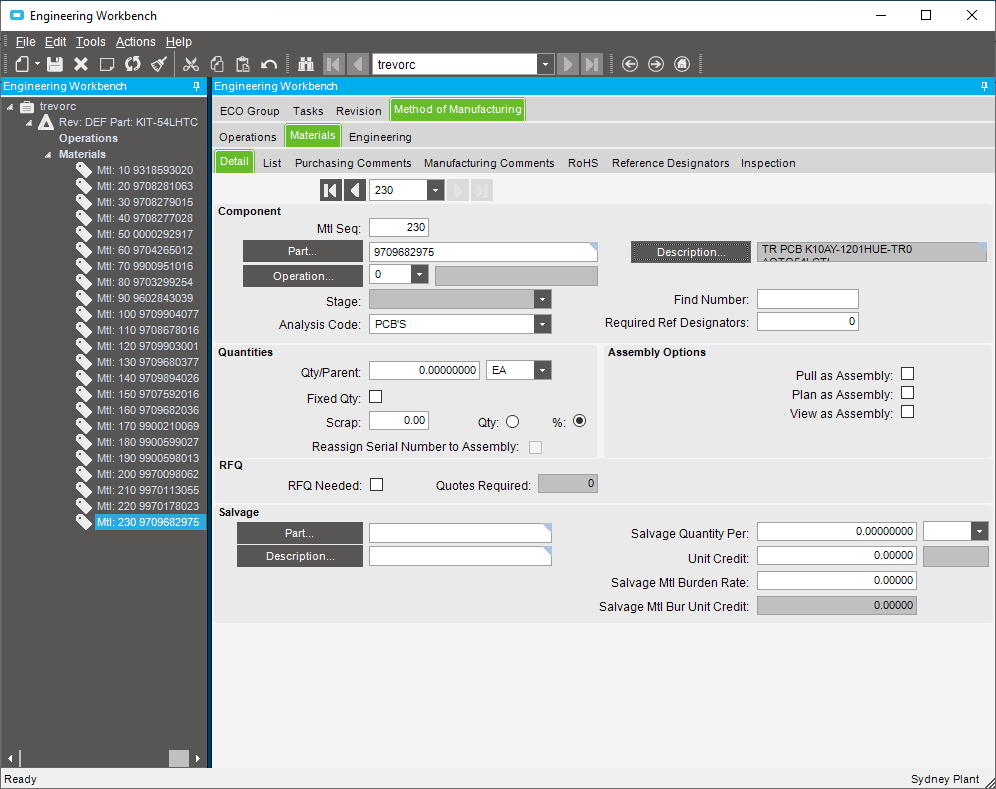
- click on the REVISION tab and press the NOT APPROVED button to change the status
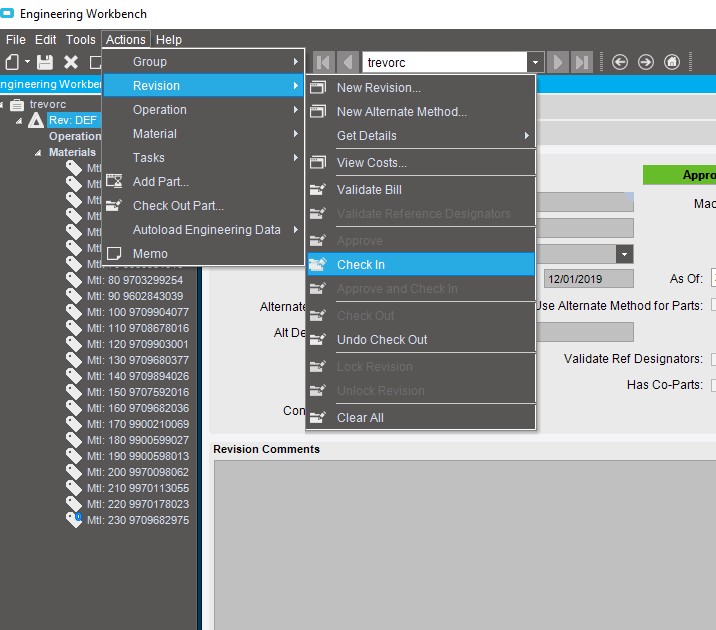
- Go to ACTIONS>REVISION>CHECK IN
- A confirmation will appear saying successful
Did you find it helpful?
Yes
No
Send feedback Sorry we couldn't be helpful. Help us improve this article with your feedback.
