
- Click on the SEARCH icon
- Enter in the SEARCH field PART
- Select the corresponding result
- The PART MAINTENANCE screen will appear
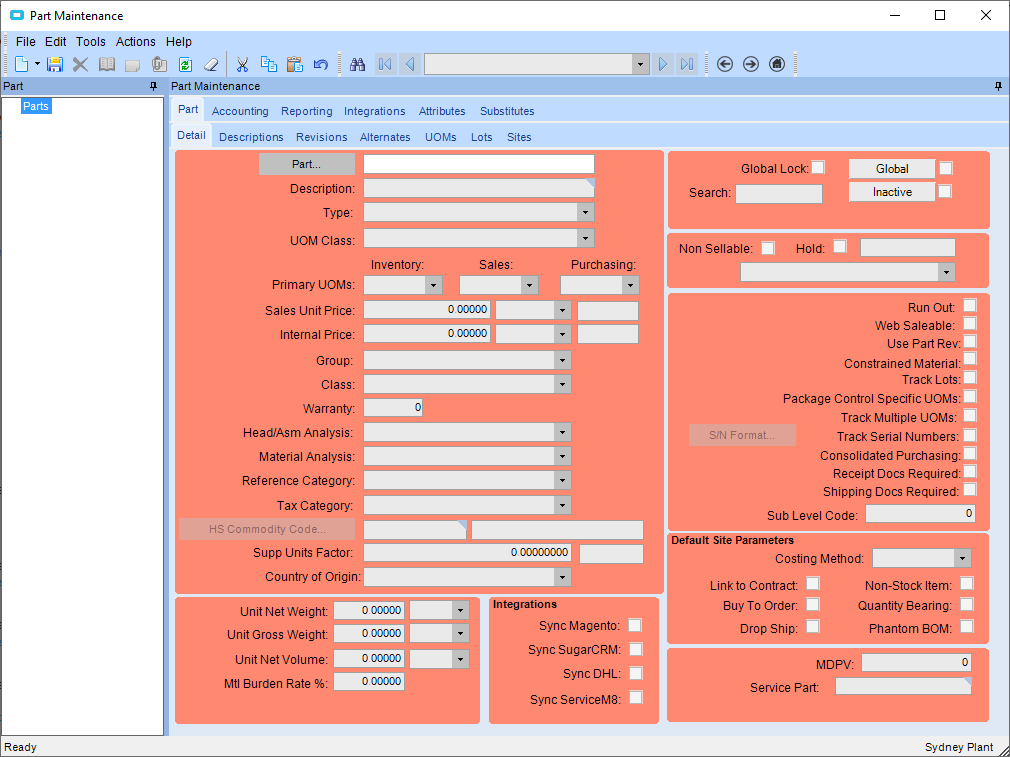
- Enter in the part number you want to add to the warehouse in the PART field and press the TAB button on the keyboard
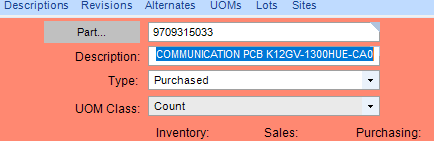
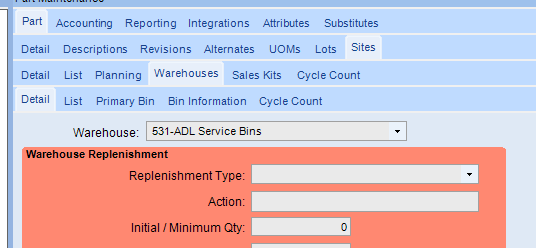
- Go to SITES>WAREHOUSES>DETAIL
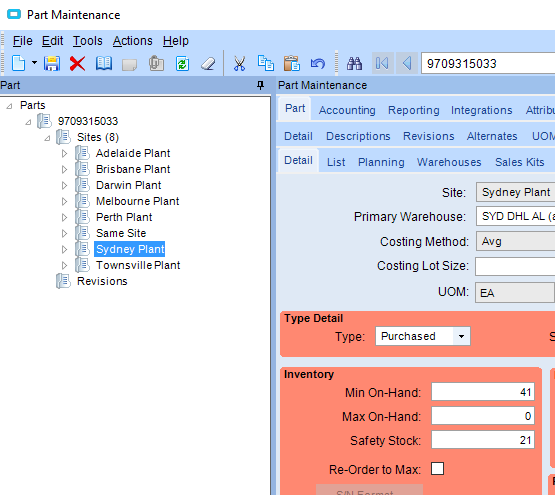
- On the left hand side of the screen,, select the PLANT where you want to add the warehouse
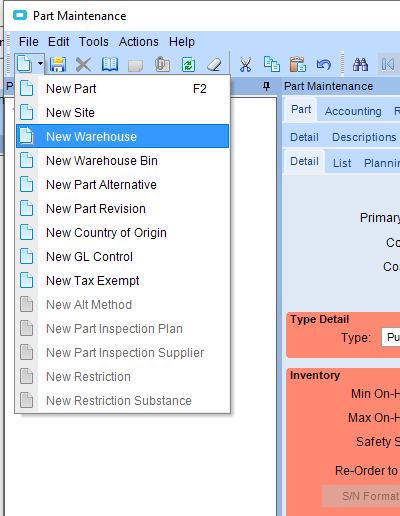
- Click on the arrow next to the NEW button and select NEW WAREHOUSE
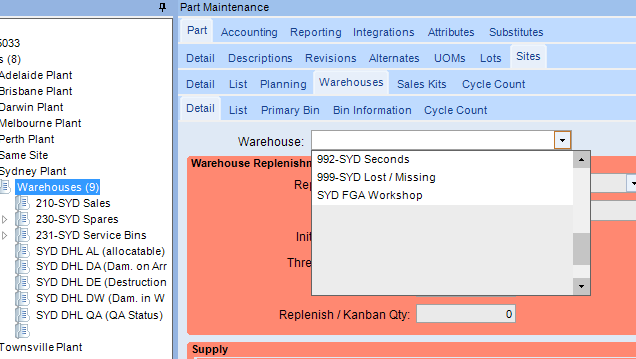
- Select the WAREHOUSE you want to add from the drop down box
- Press the SAVE button
Adding a part to a warehouse location Print
Modified on: Fri, 3 May, 2019 at 10:22 AM
Did you find it helpful? Yes No
Send feedbackSorry we couldn't be helpful. Help us improve this article with your feedback.