
- Press the SEARCH icon
- Type in the SEARCH field FGA TO RECEIPT and the TO RECEIPT screen will open
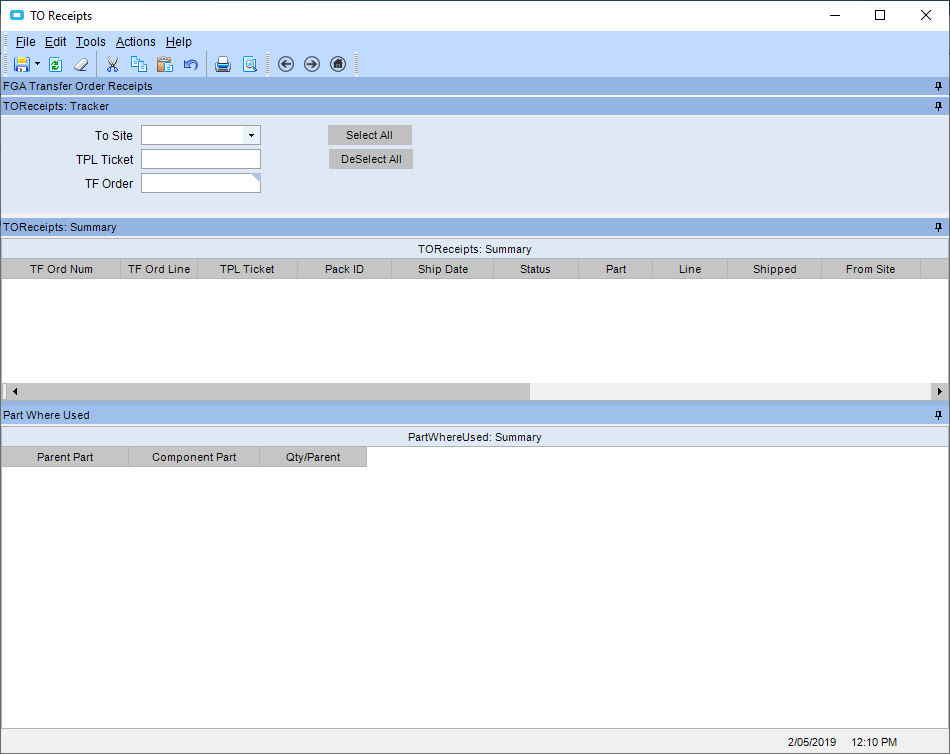
- Use one of the following filters to find the transfer order you wish to recevie
- TO SITE
- TPL TICKET (Cope or DHL number)
- TF ORDER (transfer order number)
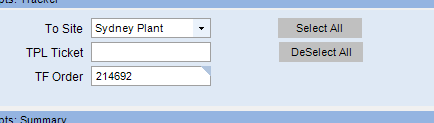
- Press the REFRESH button and the transfer(s) will appear

- Select the RECEIPT tick box

- Press the SAVE icon
- If line goes RED after saving, there is a problem with the receipt
See SHIPPING A TRANSFER ORDER and RAISING A TRANSFER for further instructions