
General Assist Technical Reference
Entering Field and Monitor Settings for VR-II Systems
Accessing service configuration and system monitoring screens
Use the sequence below when entering field settings or reviewing monitor information on a VR-II system.
Purpose: This guide provides the button sequence and screen flow required to access the field-setting and monitor-setting functions shown in the controller menus.
Service personnel only: Incorrect field-setting changes can affect system operation. Record the original setting before making an adjustment and only change values supported by the applicable service documentation.
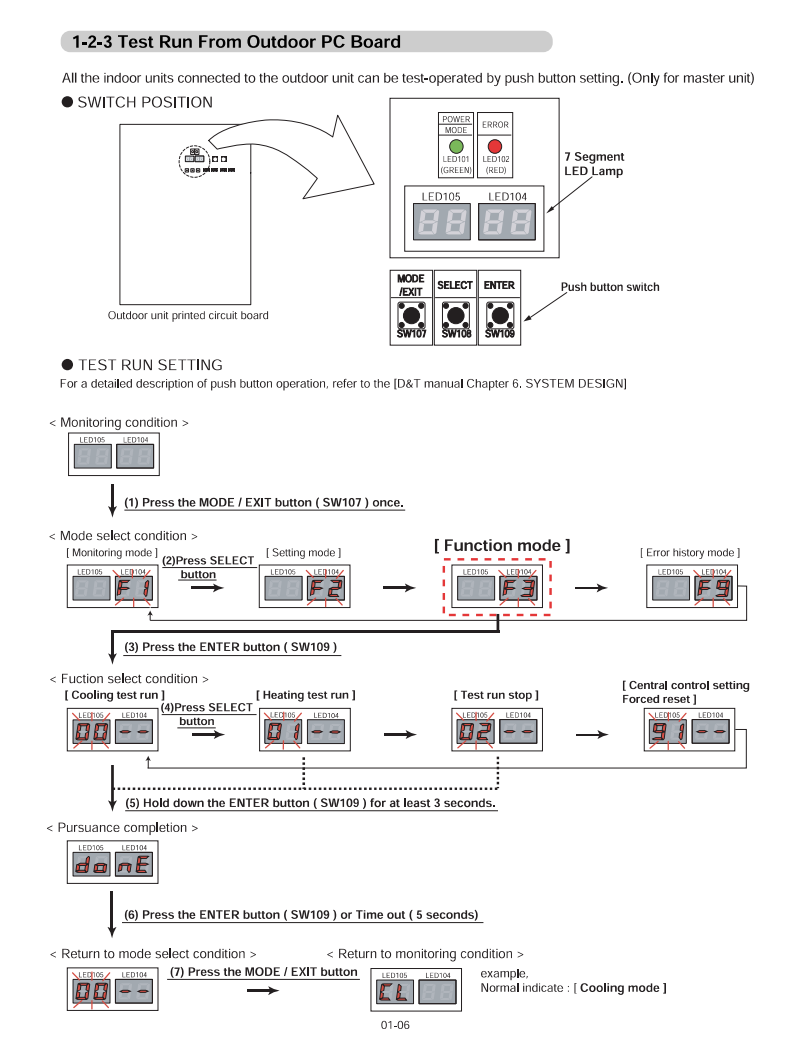
1. Open the service menu
Follow the controller button sequence shown below to enter the service-level menu.
2. Select the required setting category
Use the controller navigation keys to select the field-setting or monitor-setting option shown on the display.
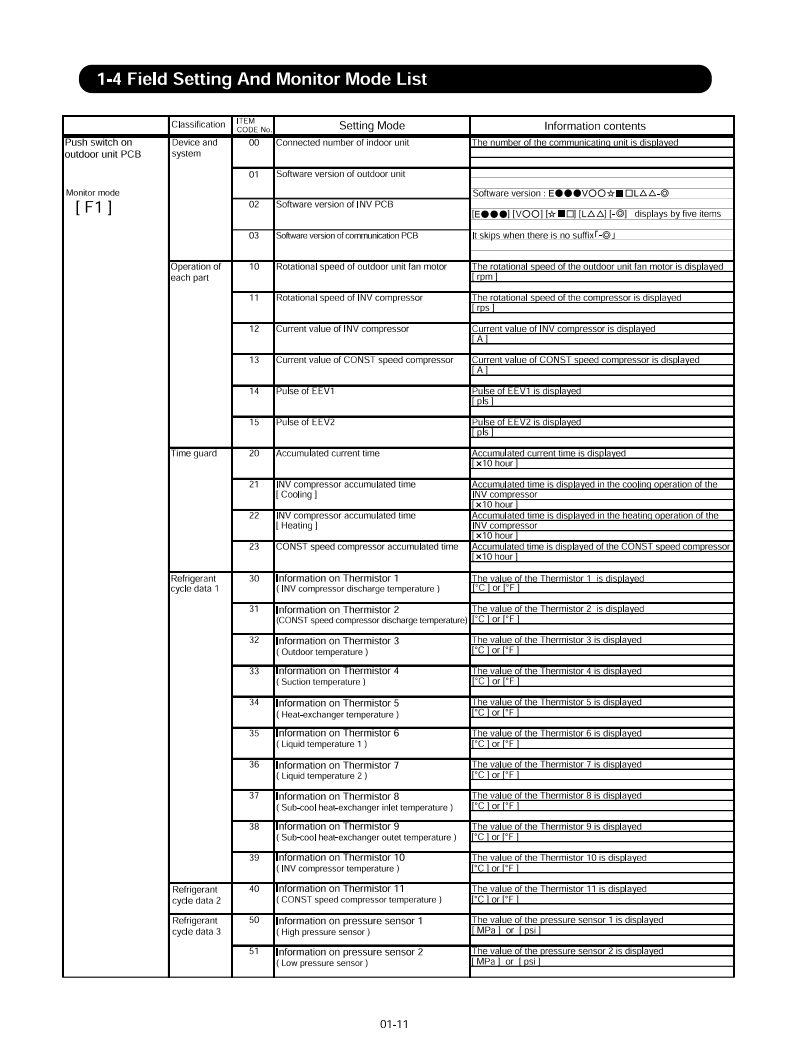
3. Enter the setting or monitor code
Select the required address, function, or monitor code using the procedure shown below.
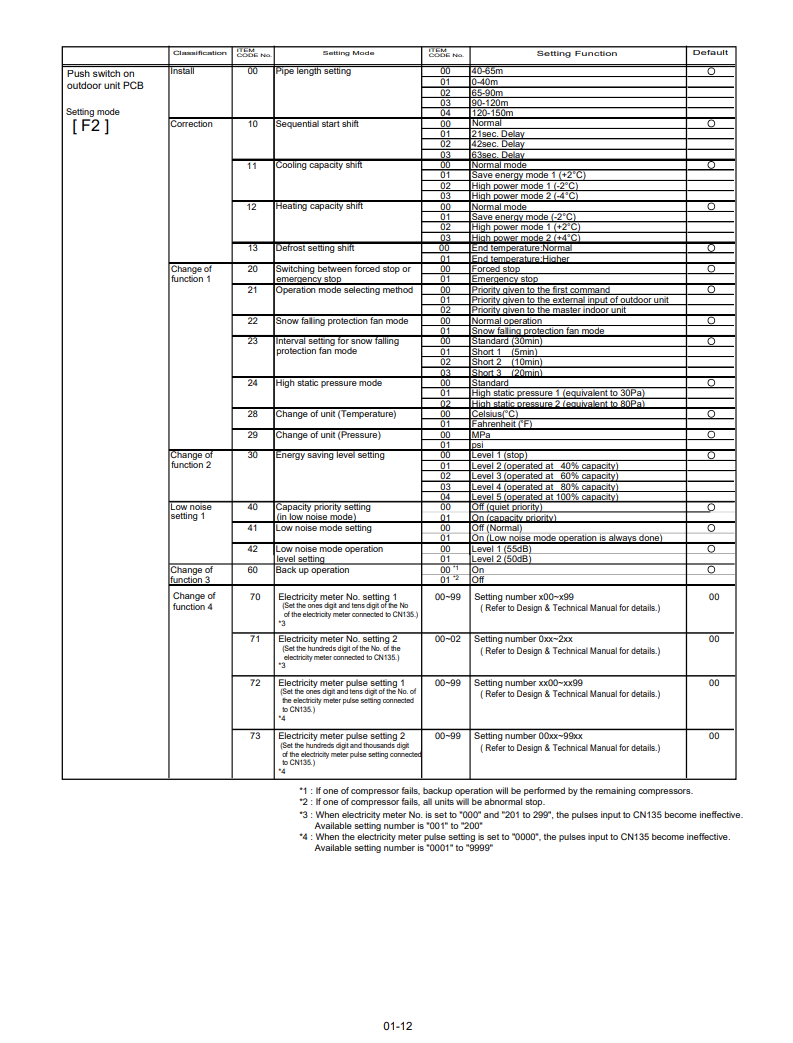
4. Review or confirm the value
Review the displayed value. Where a field setting is being changed, confirm the value using the controller sequence shown in the image.
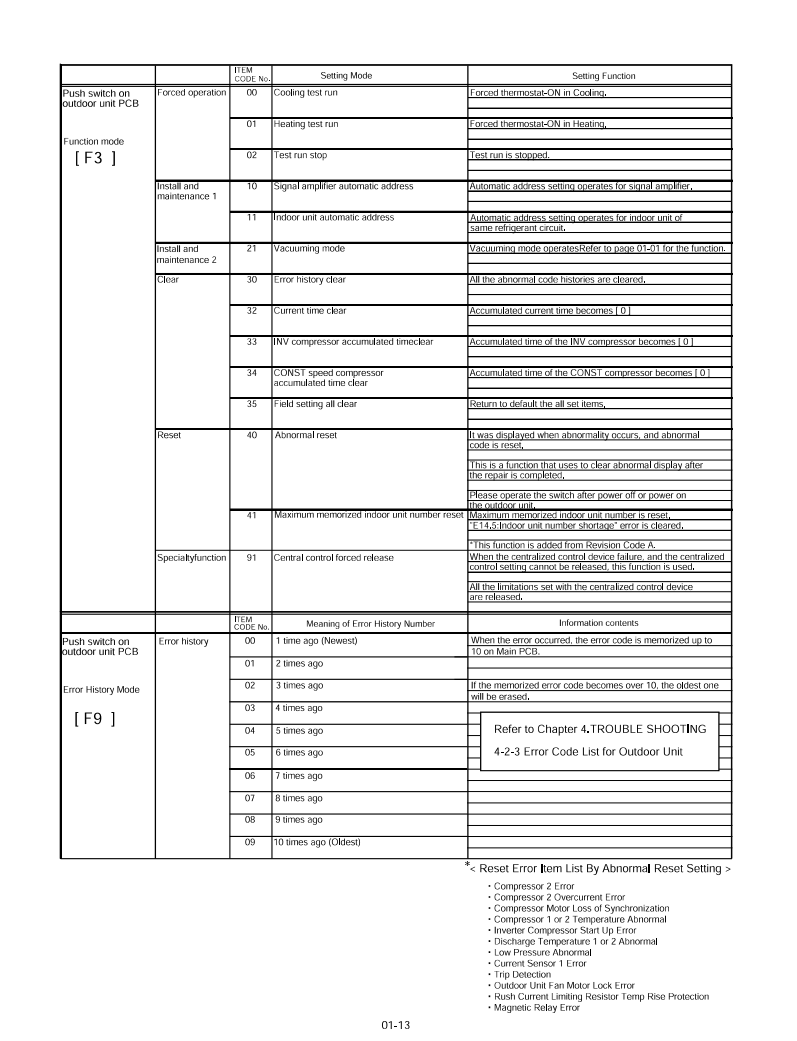
Important handling notes
- Record the original function number and value before making any change.
- Confirm that the selected indoor unit, refrigerant system, or controller address is correct.
- Do not alter unsupported settings or values that are not listed in the applicable VR-II service documentation.
- After changing a field setting, confirm normal system operation and check for active fault codes.
- Monitor settings are generally read-only and should be used for diagnosis without changing configuration values.
Need further support? If the required setting code or monitor value is unclear, refer to the model-specific VR-II service manual or escalate to Technical Support before changing the system configuration.