
Touch Panel Controller
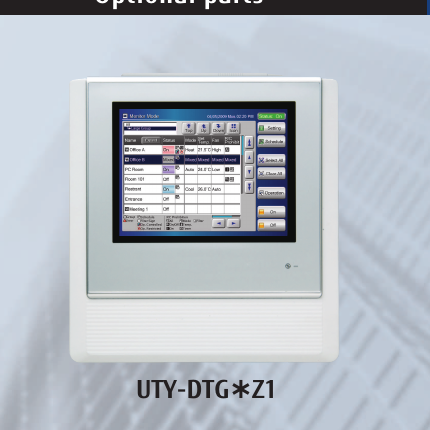
1. Key features
| System capacity | Controls up to 400 indoor units. |
| Display | 7.5-inch TFT colour LCD with finger-touch operation. |
| Monitoring views | Selectable Icon View and List View. |
| Languages | English, Chinese, French, German, Spanish, Russian and Polish. |
| Network connection | LAN interface for remote monitoring and operation. |
| External control | External input/output for emergency stop and batch ON/OFF control. |
2. Monitoring and basic operation
System monitoring
- Use the home screen to view the status of connected indoor units.
- Select Icon View for a simplified overview of ON/OFF status, operating mode and temperature.
- Select List View to review more detailed operating information for individual units or groups.
- Check the screen for error indications, operating mode and temperature settings.
Changing operation settings
| 1 | Open the operation screen and select the required indoor unit or control group. |
| 2 | Select ON or OFF as required. |
| 3 | Set the operating mode and temperature setpoint. |
| 4 | Confirm the setting. The command is then transmitted to the VRF control network. |
3. Remote monitoring through LAN
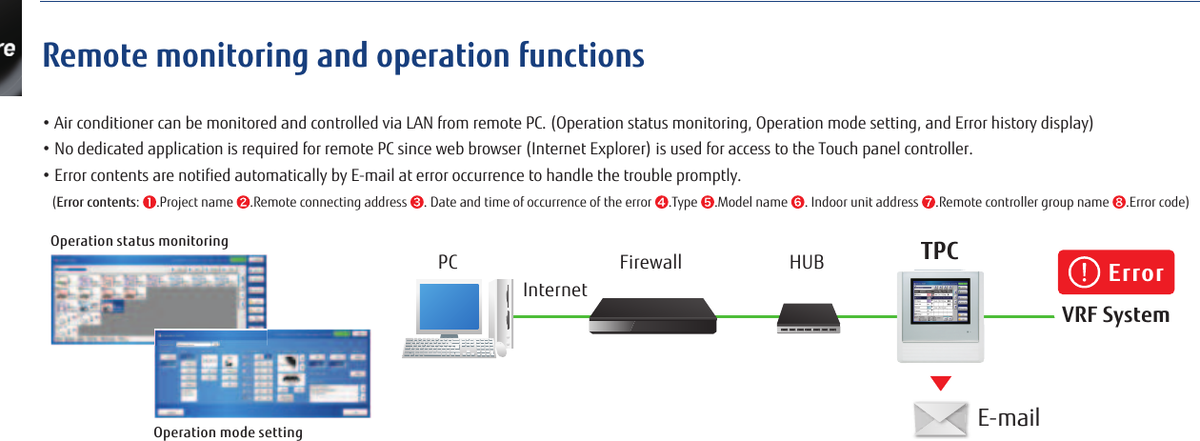
The controller can be connected to a local network for remote system monitoring and operation from a PC. Remote functions include operational-status monitoring, operating-mode changes and error-history display.
Error email notification
When configured, the controller can automatically send an email when an error occurs. The notification may include:
- Project name and remote connection address
- Date and time of the error
- Equipment type and model
- Indoor-unit address and remote-controller group name
- Error code
4. Electricity charge apportionment
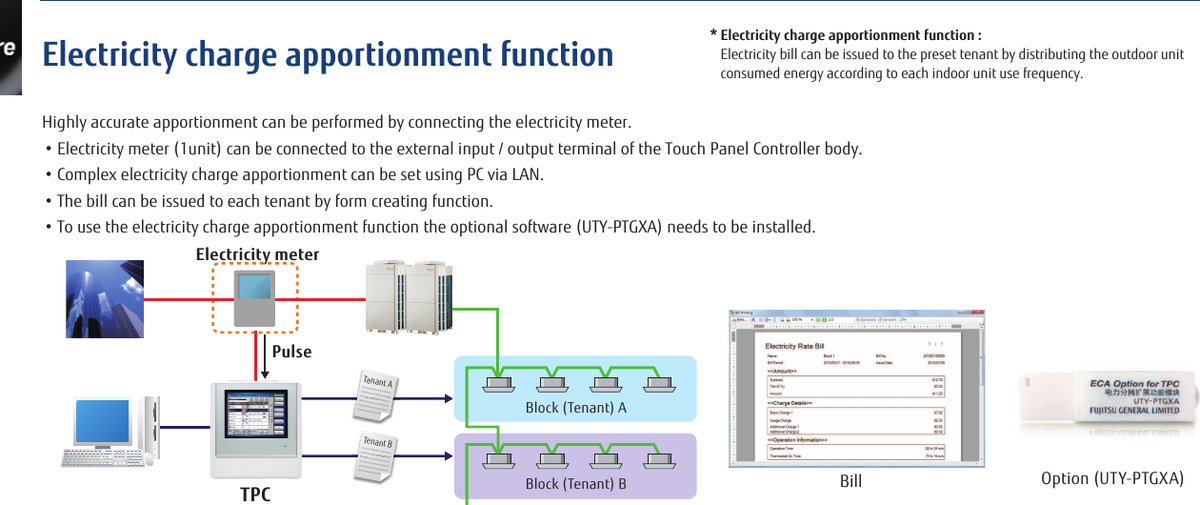
The optional electricity-charge apportionment function distributes outdoor-unit energy consumption according to indoor-unit usage and can produce tenant-based billing information.
| Requirement | Details |
|---|---|
| Electricity meter | One compatible electricity meter can be connected to the controller's external input/output terminal. |
| Optional software | UTY-PTGXA must be installed to use the apportionment function. |
| Configuration | Complex apportionment settings are configured from a PC through the LAN connection. |
| Output | Billing forms can be generated for configured tenant blocks. |
5. Automatic summer time and low-noise settings
Automatic summer time setting
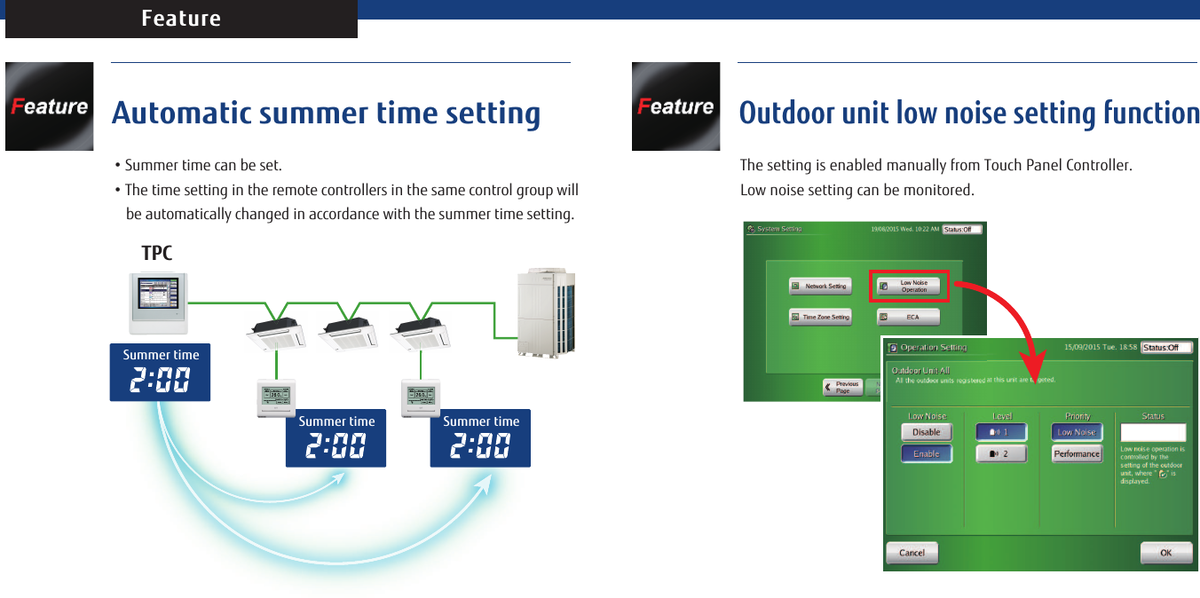
Summer time can be configured in the controller. Remote controllers within the same control group are then automatically adjusted in accordance with the summer-time setting.
Outdoor unit low-noise setting
The outdoor-unit low-noise setting can be enabled manually from the Touch Panel Controller and its status can be monitored from the screen. Available levels and priority options depend on the connected outdoor unit and system configuration.
6. Specifications
| Item | Details |
|---|---|
| Model | UTY-DTGZ1 |
| Power supply | 100-240 V AC, 50/60 Hz, single phase |
| Display | 7.5-inch TFT colour LCD |
| Dimensions (H x W x D) | 260 x 246 x 54 mm |
| Weight | Approximately 2.15 kg |
| Interfaces | USB 2.0 and LAN connectivity |